
Visitor Management for Schools and Colleges: Safety, Consent and Parent Pickup

Key Takeaways
- Visitor management is the process of identifying, authorising, recording, and tracking everyone who enters a campus, from arrival to departure.
- India’s CBSE refers affiliated schools to NCPCR and NDMA safety guidance, which calls for controlled single-gate entry and identity verification of visitors.
- Parent and guardian pickup is the highest-risk visitor workflow; it needs an authorised-pickup list, identity checks, and a documented release, not just a friendly wave-through.
- No software guarantees child safety. Technology speeds up verification and record-keeping, but trained staff and clear policy make the release decision.
- Under India’s DPDP Act, 2023, a school is a “data fiduciary”; its core data obligations take effect in mid-May 2027 (18 months after the DPDP Rules, 2025 were notified on 13 November 2025).
- Collect only the visitor data you need, state why you collect it, and set a retention period rather than keeping logs forever.
- A digital system beats a paper register mainly on speed, searchability, host alerts, and emergency roll-call, not on whether a record exists at all.
The hardest ten minutes of a school day are not in any classroom. They happen at the gate at 2:45 PM, when a security guard with a clipboard is trying to do four things at once: wave through parents he recognises, stop the ones he doesn’t, log a plumber who arrived without notice, and decide whether the woman asking for a Grade 2 student is actually allowed to take her home.
Every one of those decisions is a safety decision. Get it wrong once, and a child leaves with the wrong adult. Get it right but slowly, and you have a queue of frustrated parents blocking the road and a guard who stops checking properly because the pressure to move people is too high.
This guide is written for the people who own that problem: principals, campus administrators, front-desk and reception staff, security supervisors, and facility managers at schools and colleges. It covers what a visitor management process should actually do, how to verify parents and guardians at pickup without creating chaos, where student privacy and India’s data-protection rules fit in, and how to decide between a paper register and a digital system. Where a claim depends on the law, we name the law and the jurisdiction rather than pretending a single rule covers everyone.
What Is Visitor Management for Schools and Colleges?
Visitor management is the process a campus uses to control and record who comes onto its premises, why they are there, who approved the visit, and when they leave. On a school or college campus, it covers parents and guardians, contractors and vendors, substitute or guest faculty, alumni, event attendees, and anyone else who is not a currently enrolled student or employed staff member.
A visitor management system is the tool that runs this process. It can be as simple as a bound register at the gate or as involved as a cloud application where visitors check in from their own phone, hosts get an instant alert, and every entry and exit is timestamped and searchable. The system is the software; visitor management is the human process the software supports.
The distinction matters because buying software does not, by itself, make a campus secure. A system enforces the process you design. If the process is weak, digitising it just produces faster records of the same weak decisions.
Why Visitor Management Matters in Educational Institutions
Schools and colleges are open by nature. Parents come and go, deliveries arrive, maintenance happens during teaching hours, and events bring in outsiders by the hundred. That openness is exactly what makes access control difficult, and it is why regulators and safety bodies treat campus entry as a distinct risk to manage.
In India, the Central Board of Secondary Education directs affiliated schools to follow the safety framework issued by the National Commission for Protection of Child Rights (NCPCR) and the National Disaster Management Authority (NDMA). The NCPCR’s Manual on Safety and Security of Children in Schools advises that outsiders be allowed in only through a single, guarded gate, that the main gate stay locked after students and staff have entered, and that parents and visitors be permitted only after their identity is verified during notified visiting intervals.
State education departments have issued their own tightening measures on top of this; in 2025, for example, Rajasthan’s Secondary Education Department directed that in government schools, principals may deny entry to visitors whose presence could affect security, privacy, discipline, or the academic environment. These are Indian requirements; the specific rules a campus must follow depend on its board, its state, and its local authority.
Beyond compliance, three operational realities drive the need for a real process:
- Accountability: If something goes wrong, “who was on campus at 11:20 AM and who let them in?” must have a fast, reliable answer. A pile of half-legible register pages does not provide one.
- The pickup problem: The single most common daily interaction is an adult arriving to collect a specific child. This is where the greatest safety risk sits, and where speed and verification pull hardest against each other.
- Emergencies: During a fire, lockdown or evacuation, staff need an accurate, current count of every non-student adult on the premises. That list only exists if check-in and check-out are actually happening.
What a School Visitor Management Process Should Include
A complete process follows the visitor from before they arrive to after they leave. Whether you run it on paper or software, these are the stages worth designing deliberately.
- Pre-registration (where possible): Expected visitors, recurring contractors and scheduled parent meetings are logged in advance, with the host named and the purpose recorded. Planned visitors should not be a surprise at the gate.
- Arrival and identity check: The visitor states who they are and who they are visiting. Staff verifies identity to a standard that matches the risk of the visit.
- Authorisation: The system or staff confirm the visit is approved, the host is expecting them, and, for a pickup, that this adult is allowed to collect this student.
- Recording: Name, organisation, purpose, host, entry time, and (ideally) a photo are captured against a searchable record.
- Badging or passing: The visitor receives a visible pass or a digital credential that shows they have been cleared, and often marks where they may go.
- On-site tracking: The campus knows the visitor is currently inside and, where relevant, which area they are in.
- Check-out: Exit is recorded with a timestamp, so the live on-site list stays accurate.
The stages that schools most often skip are pre-registration and check-out. Skipping pre-registration turns every arrival into an interrogation at the busiest moment. Skipping check-out means the “who is on campus” list is fiction by mid-afternoon.
Visitor Check-In and Identity Verification
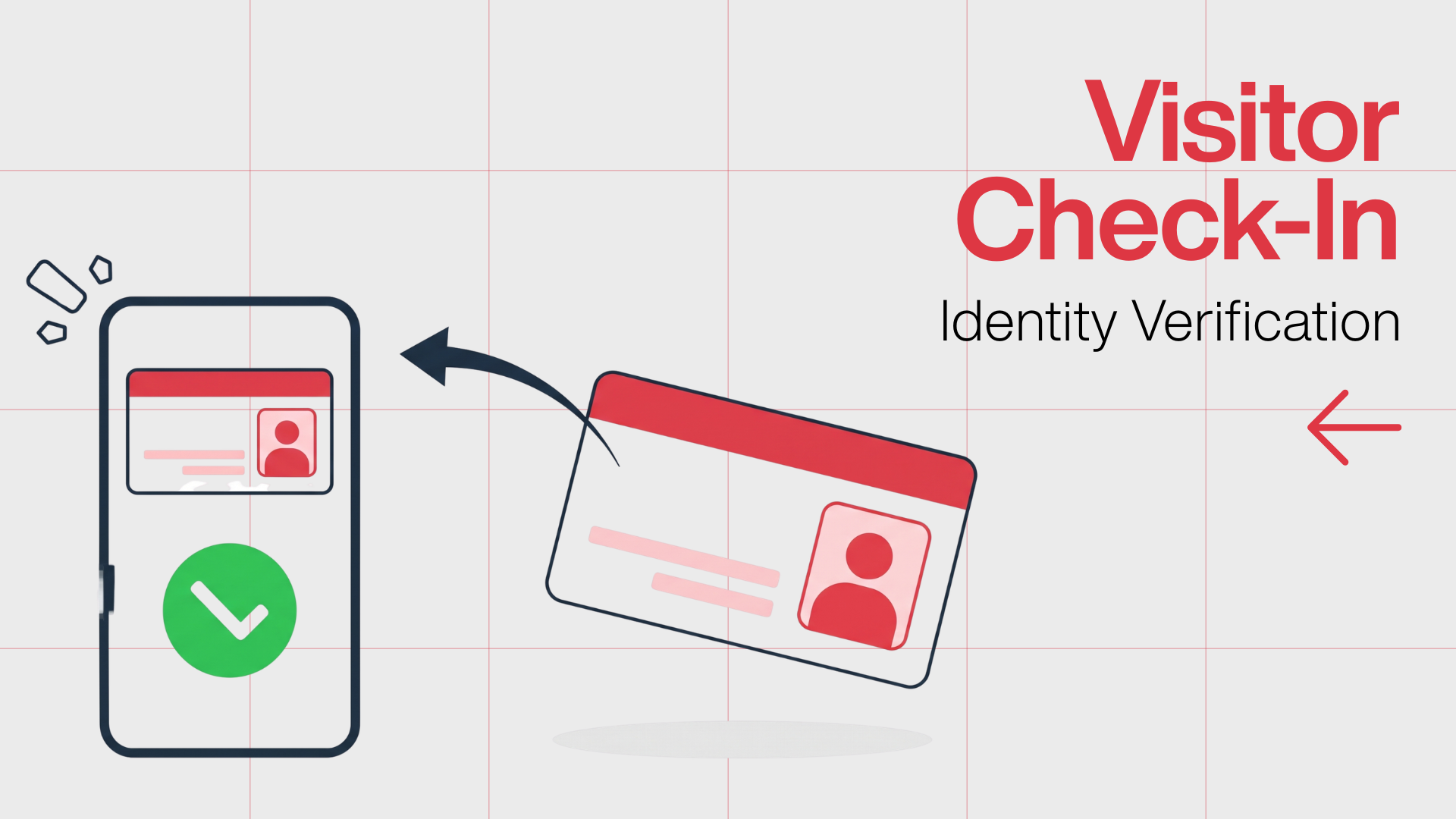
Identity verification should be proportionate to the visit. A parent attending a scheduled teacher meeting and a contractor entering a boarding hostel do not warrant the same scrutiny, and treating them identically either wastes staff time or under-checks the higher-risk visitor.
A workable tiered approach:
|
Visitor type |
Typical verification |
Record captured |
|
Pre-registered parent for a meeting |
Name confirmed against the pre-invite; photo at gate |
Name, host, purpose, time, photo |
|
Walk-in parent or guardian |
Government ID sighted; matched to student record |
Name, relationship, ID type, time, photo |
|
Contractor or vendor |
ID sighted; work order or host confirmation |
Name, company, host, purpose, time, ID |
|
Event attendee |
Ticket or invite list; bulk check-in |
Name, event, time |
|
Person collecting a student |
ID sighted and checked against the authorised-pickup list |
Name, relationship, ID, student, time, staff who released |
Two limits are worth stating plainly. Sighting an ID confirms a document exists and roughly matches the person in front of you; it is not proof of identity. Staff should be trained to treat a mismatch, or plain evasiveness, as a reason to pause rather than wave through.
The second limit is about imported features. A lot of school visitor software sold globally is built around tools for other countries, such as automated screening against sex-offender registries. India has no equivalent public registry a vendor can lawfully screen against, so evaluate that specific claim carefully rather than assuming it applies here.
Parent and Guardian Pickup Verification
This is the section that matters most, because this is where a verification failure has the worst possible outcome: a child leaving with an adult who should not have them. It deserves more than a subsection, and it deserves a process designed for the messy reality of who actually turns up.
The core principle
A student should be released only to an adult the school has confirmed, in advance, is authorised to collect that specific student, whose identity is checked at the point of release, and whose collection is recorded. Every part of that sentence is doing work. Authorisation, identity and documentation are three separate checks, and dropping any one of them is where things go wrong.
Know your six types of pickup person
Front-office staff make faster, safer decisions when the school has already sorted collectors into defined categories:
- Authorised parents or guardians: On the standing list, permitted to collect routinely. The everyday case.
- Standing emergency contacts: Pre-approved to collect when a parent cannot, usually a grandparent, relative or neighbour named at admission.
- One-time authorised persons: Someone a parent has approved for a single, specific occasion, for example, a family friend collecting today because both parents are travelling.
- Scheduled early-release pickups: A parent collecting mid-day for an appointment, where the departure is planned, and the office is expecting it.
- Unexpected pickup requests: An adult arrives, or a parent calls, without prior notice, or a new name appears that isn’t on any list.
- Unauthorised attempts: An adult tries to collect a student they are not permitted to, whether through misunderstanding, a custody dispute, or intent to harm.
The first four are routine and should be fast. The last two are where staff training and clear escalation rules earn their keep.
Handling a one-time or changed pickup
Pickup changes are constant, so the process must handle them without either grinding to a halt or waving through anyone who asks. A defensible approach:
- The request to authorise a new collector comes from a verified parent or guardian, not from the person arriving to collect. A phone call from an unknown number saying “I’m sending my brother” is a request to verify, not an instruction to comply.
- The office confirms the parent’s identity through a known channel before adding the one-time person.
- The one-time collector still shows ID on arrival and is checked against the note the parent left.
- The release is recorded, including who authorised it and which staff member released the child.
A digital system helps here because a parent can add a one-time collector from their phone in advance, and the office sees the same information the parent entered, rather than relying on a shouted message across a noisy front desk. The verification decision is still a human one.
When an unauthorised person arrives
Staff need a rule they can apply without hesitation: if an adult is not confirmed as authorised, the student is not released, full stop, and the matter goes to a named senior person (principal, designated safeguarding lead, or whoever the school appoints). This is especially important in custody situations, where one parent may not be permitted to collect. The school follows any court order or written instruction on the student’s file, not the more insistent adult at the counter. Documenting the attempt matters as much as refusing it.
Documenting the release
Every collection should leave a record: the student, the collector, the relationship, the time, and the staff member who authorised the release. On paper this is a signature and a line in a book. Digitally it is an automatic, timestamped, searchable entry with a photo. The point is the same either way, so that weeks later the school can answer, with certainty, who took a child home on a given day.
Balancing all of this, security against speed against a decent parent experience is the real design challenge. Over-verify, and you get a car queue onto the main road and parents who resent the school. Under-verify and the whole exercise is theatre. The workable middle is to let the routine cases move fast through pre-registration and recognition, and to spend your real scrutiny on the exceptions.
Consent and Student Privacy
Two different kinds of information move through the front office, and conflating them causes most privacy mistakes.
The first is operational visitor data: a visitor’s name, contact number, ID reference, photo, purpose and timestamps. The school collects this to run access control.
The second is student and education data: which student a visitor is collecting, custody and guardianship arrangements, and anything from the student’s record. This is more sensitive and, because it concerns children, is treated more strictly under the law.
Where India's DPDP Act fits
Under India’s Digital Personal Data Protection Act, 2023, a school that collects personal data is a data fiduciary and carries the standard obligations: process data lawfully and for a stated purpose, keep it secure, and retain it only as long as the purpose requires. For children, defined as anyone under 18, the Act’s Section 9 requires a data fiduciary to obtain verifiable consent from a parent or lawful guardian before processing the child’s personal data, and it prohibits tracking, behavioural monitoring and targeted advertising directed at children.
Two nuances keep schools from over- or under-reacting. The Digital Personal Data Protection Rules, 2025 carve out a narrow, conditional exemption for educational institutions: they may process certain children’s data for education and safety purposes without obtaining separate verifiable parental consent for each act, as long as the processing is necessary and proportionate. That is a limited relief for legitimate school functions, not a blanket pass.
The timeline is the second nuance. The Rules were notified on 13 November 2025, but the core duties, including the verifiable-consent rule for children’s data and the notice, consent and retention obligations, take effect roughly 18 months later, in mid-May 2027. A campus should be building these practices now rather than assuming the full regime already binds it. How the provisions apply to a specific school turns on its own facts, so treat this as background for a conversation with your legal advisor, not as legal advice.
Practical privacy habits that hold up regardless
You do not need to resolve every legal question to handle visitor data responsibly. A few habits are defensible under most frameworks:
- Collect only what you use: If you never use a visitor’s home address, stop asking for it.
- Say why: A short notice at check-in stating what you collect and why is good practice and increasingly an expectation.
- Set a retention period: Decide how long visitor logs are kept, for example, 90 days for routine visitors, longer where a specific reason justifies it, then delete on schedule.
- Limit who can see records: Front-office visitor logs and student custody notes should not be visible to everyone with a login.
- Secure the data: A locked cabinet for the paper book, access controls and encryption for the digital system.
Managing Contractors, Vendors and Other Visitors
Non-parent visitors are lower in daily volume but often higher in risk, because they may be on campus for hours, move through areas where students are present, and return repeatedly. A separate flow for them is worth the small extra effort.
For contractors and vendors, capture the company, the work order or host who approved them, the areas they are cleared to enter, and their expected duration. Recurring contractors, a canteen supplier, a housekeeping crew, an AC technician who visits monthly, can be set up as known visitors so each arrival is a quick confirmation rather than a fresh registration. For work near students, most Indian schools additionally require police verification of the individuals involved, consistent with CBSE’s guidance on verifying support and non-teaching staff; the visitor system records the visit, but the background check is a separate obligation.
For substitute or guest faculty and volunteers, confirm they are expected, badge them clearly so students and staff can tell an authorised adult from a stranger, and record the host who is responsible for them on site.
The common failure with this group is the “trusted regular” who stops being checked because everyone knows his face. Familiarity is not authorisation. A visible pass and a logged entry should apply to the monthly technician exactly as they apply to a first-time visitor.
Emergency Visitor Tracking
The safety case for check-in and check-out becomes concrete during an emergency. If a fire alarm sounds or a lockdown is called, the people coordinating the response need to know how many non-student adults are on the premises and, ideally, who they are, so that a roll-call and evacuation account for everyone.
This capability is entirely dependent on the discipline of the everyday process. A live on-site roster is only accurate if visitors reliably check out when they leave; otherwise, the list shows people who left an hour ago and misses the reality on the ground. A digital system has a clear advantage here: a designated staff member can open the current roster on a phone from the assembly point, away from the building, rather than running back to a register at a reception desk that may be inside the danger zone.
Be honest about the limit of the claim. A visitor system supports emergency accountability; it does not manage the emergency. It will not evacuate anyone. Treat it as one input to your emergency plan, alongside drills, marshals, and a rehearsed procedure, not as a replacement for them.
Paper Register vs Digital Visitor Management
Both create a record. The difference is what you can do with that record, how fast, and how reliably. A balanced comparison:
|
Factor |
Paper register |
Digital system |
|
Setup cost |
Near zero |
Subscription; sometimes hardware |
|
Speed at peak |
Slows badly in a queue |
Fast, especially with pre-registration |
|
Legibility |
Depends on handwriting |
Always readable |
|
Searchability |
Manual page-turning |
Instant search and export |
|
Host notification |
Phone call or intercom |
Automatic alert to the host |
|
Authorised-pickup check |
Staff memory or a separate list |
Built into the check-in flow |
|
Live on-site count |
Not really possible |
Available in real time |
|
Privacy of prior entries |
Everyone sees the page above |
Each record is private |
|
Works in a power or internet cut |
Always |
Needs a fallback plan |
|
Data security |
Physical only |
Access controls, encryption, backups |
The paper register’s real weaknesses are not that it fails to record anything, but that the record is slow to search, easy to misread, visible to the next visitor in line, and useless for a live count. Its real strength is that it never goes down. A sensible digital deployment keeps a simple paper fallback for outages rather than pretending outages never happen.
Digital is not automatically the right answer for every campus. A tiny school with light visitor traffic and reliable staff may be well served by a good register and a clear process. The case for digital strengthens sharply as volume, the number of gates, the number of daily pickups, and emergency-accountability needs grow.
Features to Look for in School Visitor Management Software
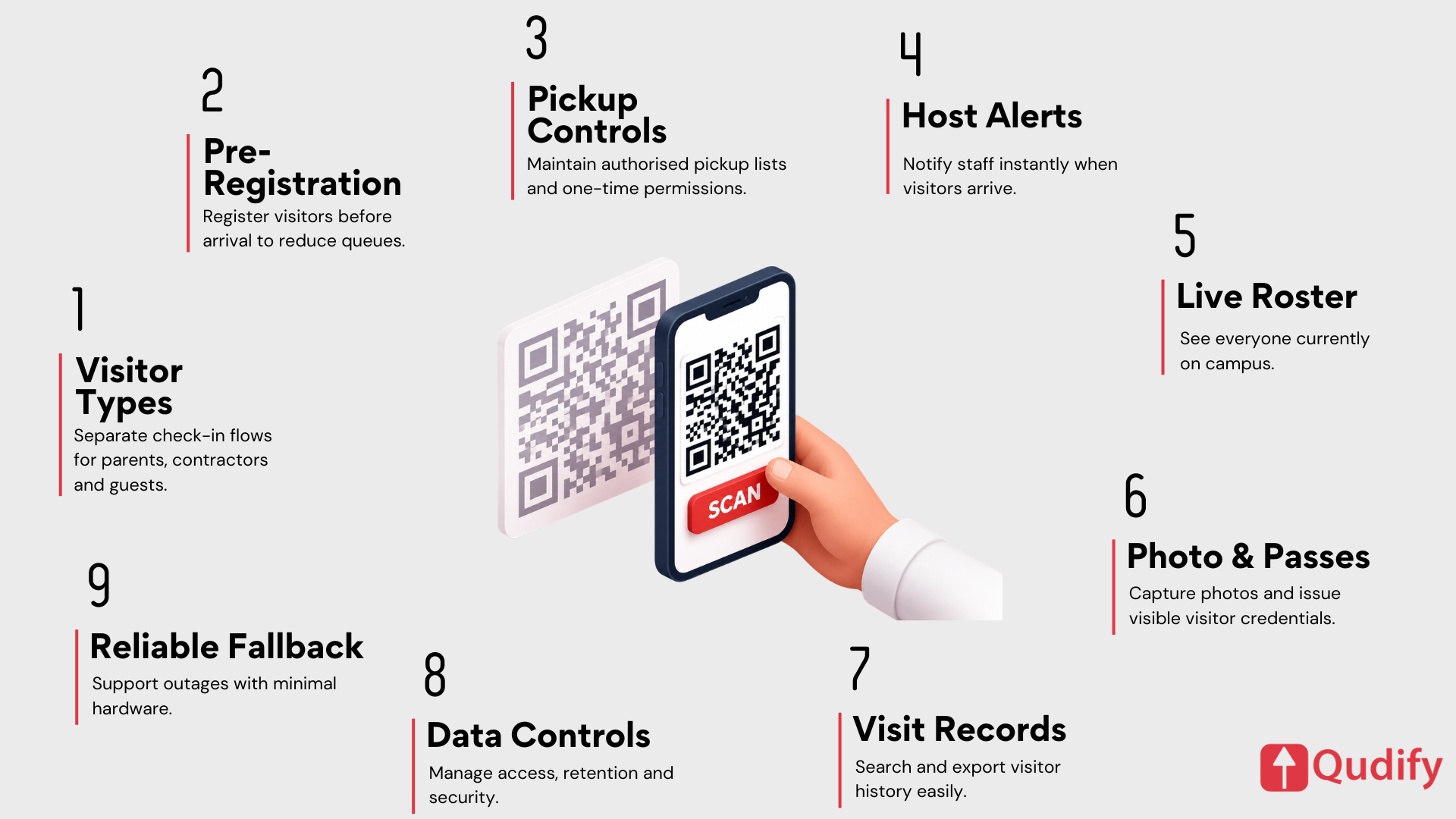
Evaluate features by what they let a real person do on a real day, not by how they sound in a brochure. The questions worth asking:
- Separate flows per visitor type: Can you define distinct check-in steps for parents, contractors, volunteers, substitutes and event guests, each capturing the right fields? A single generic form forces staff to improvise.
- Pre-registration and pre-invites: Can a host or parent register an expected visitor in advance, so arrival is a one-tap confirmation? This is what removes the queue.
- Authorised-pickup handling: Can the system hold an authorised-collector list per student and surface it at check-in, and can a verified parent add a one-time collector? For a school, this is the feature that most directly touches safety.
- Host notifications: When a visitor checks in for a specific staff member, does that host get an alert (SMS, WhatsApp, email) within seconds, so the office is not walking to classrooms?
- Live on-site roster: Can a designated person pull an accurate, current list of everyone on campus from any device during an emergency?
- Photo capture and a visible pass: Does check-in capture a photo and issue a clear pass or digital credential, so an authorised adult is distinguishable from a stranger at a glance?
- Searchable, exportable records: Can you find every visit by a given person, or everyone present on a given afternoon, in seconds?
- Data controls: Does it let you set retention periods, restrict who sees records, and secure data in line with your obligations?
- A sensible fallback and low hardware burden: What happens in a power or internet cut, and how much equipment does each gate actually need?
On that last point, the market splits between kiosk-and-badge-printer systems and lighter approaches where the visitor checks in from their own phone via a QR code, with no kiosk, no app download, and no badge printer to maintain. For a multi-gate campus watching costs and upkeep, the lighter model is often easier to run, though a printed or digital pass of some kind still matters so that a cleared visitor is visibly identifiable on the premises.
(Qudify perspective: this is the model Qudify is built around, QR check-in from the visitor’s own phone, pre-invites, and WhatsApp-based host alerts and approvals, with office-wise admin controls for campuses that span multiple gates or buildings. The right fit still depends on your traffic and your gate layout, which is the honest way to evaluate any vendor, including us.)
How to Implement Visitor Management in a School or College
A realistic rollout is a sequence, not a switch you flip. A framework that tends to work:
- Map who actually enters: Spend a week noting every visitor type and its daily volume. Pickups, deliveries, contractors, meetings, events. You are designing for reality, not for a tidy diagram.
- Write the process before choosing a tool: Decide your verification standard per visitor type, your pickup and release rules, your escalation path for unauthorised attempts, and your retention period. The tool should enforce this, not define it.
- Fix the pickup policy first: Build and clean the authorised-collector lists, capture emergency contacts and any custody instructions, and brief front-office staff on the escalation rule. This is the highest-value step regardless of technology.
- Choose paper or digital honestly: Match the choice to your volume, gates and accountability needs, using the comparison above.
- Pilot at one gate: Run the new process at a single entry point for a couple of weeks. Watch where the queue forms and where staff work around the system.
- Train the people at the counter: The best process fails if the guard or receptionist wasn’t shown how to handle the awkward cases. Train for the exceptions, not just the happy path.
- Communicate with parents: Tell parents what changes, why, and what they need to do (bring ID, pre-register a one-time collector). A surprised parent at the gate is a slow, unhappy parent.
- Review after a month: Check the records, ask the front office what still doesn’t work, and adjust.
Best Practices Checklist
A short list administrators can actually use:
- [ ] Single, guarded entry point for outsiders, with other gates controlled
- [ ] Every visitor identified, logged and given a visible pass
- [ ] Separate, defined flows for parents, contractors, volunteers and guests
- [ ] An authorised-collector list maintained per student, with emergency contacts
- [ ] A clear rule: no confirmed authorisation means no release, escalate to a named senior
- [ ] Custody instructions recorded on the student’s file and followed at the gate
- [ ] Every student release documented, collector and releasing staff both recorded
- [ ] Check-out recorded so the on-site list stays accurate
- [ ] A live roster reachable from a phone for emergencies
- [ ] Only necessary visitor data collected, with a stated retention period
- [ ] Records secured and access limited to staff who need them
- [ ] A fallback for power or internet outages
- [ ] Front-office staff trained on the exceptions, not just the routine
- [ ] Parents told in advance what to expect and what to bring
Frequently Asked Questions
What is visitor management in a school?
It is the process of identifying, authorising, recording and tracking everyone who enters the campus, from parents and contractors to guest faculty and event attendees, from the moment they arrive to the moment they leave.
Why do schools need visitor management?
To control who enters, verify that adults collecting students are authorised, maintain an accurate record for accountability, and produce a reliable count of who is on campus during an emergency. In India, CBSE also refers schools to NCPCR and NDMA safety guidance covering controlled entry and visitor verification.
How does a school visitor management system work?
A visitor is registered in advance or at the gate, their identity is verified, their visit is authorised, and their details, purpose, host, and entry time are recorded. They receive a pass, the host is notified, and their exit is logged so the on-site list stays current.
How should schools verify parents during pickup?
Confirm the adult is on the authorised-collector list for that specific student, check their identity with ID, and document the release, including which staff member handed the child over. For a one-time collector, the authorisation should come from a verified parent in advance, and the collector should still show ID on arrival.
How should a school handle an unauthorised person trying to collect a child?
Do not release the student. Escalate to a named senior staff member such as the principal or designated safeguarding lead, follow any custody order or written instruction on the student’s file, and document the attempt. The rule should be applied without hesitation.
What information should a school collect from visitors?
Only what the process needs: typically name, contact number, organisation (for contractors), purpose, host, and entry and exit times, often with a photo. For pickups, add the relationship to the student, and the authorisation check. Avoid collecting data you will never use.
How can schools protect visitor and student data?
Collect the minimum needed, tell visitors why you collect it, set a retention period and delete on schedule, restrict who can see records, and secure the data physically or with access controls and encryption. Under India’s DPDP Act, 2023, schools are data fiduciaries whose core data obligations take effect on 13 May 2027.
Is a digital visitor management system better than a paper register?
For most campuses with meaningful visitor traffic, yes, mainly for speed at peak times, searchable records, automatic host alerts, built-in pickup checks, and a live emergency roster. A paper register’s advantage is that it never loses power. A good digital deployment keeps a simple paper fallback for outages.
Does visitor management software make a school compliant with the DPDP Act?
No. Software can support compliance by helping you collect less data, set retention periods, and secure records, but compliance is a function of your policies, consent handling, and practices, not of any single product. Treat vendor “compliance” claims with care and confirm your obligations with your own legal advisor.