
AI Visitor Management Systems: What Actually Changes in Workplace Access Control
Key Takeaways
- A VMS records who is in a building. AI-assisted VMS finds patterns in that record traffic, no-shows, complaint themes that a plain log won’t show.
- Access control and visitor management are different layers. One decides who may open a door; the other manages the guest experience and record.
- AI’s most reliable wins today are operational, not investigative: host routing, no-show release, occupancy trends and complaint triage.
- Ghost meetings are measurable waste. 10–30% of room bookings end in no-shows; scan-on-arrival verification reclaims that space automatically.
- Most meeting rooms are the wrong size. Sensor data across 173 buildings found 80% of meetings involve six people or fewer.
- Facial recognition carries real bias risk. NIST found false-match rates 10–100× higher for some demographic groups in weaker algorithms.
- India’s DPDP regime is live and phased. Rules were notified on 13 November 2025, with most obligations due by 13 May 2027.
- Human oversight is the design, not the fallback. Automate routine flow; keep a person on every high-consequence access decision.
Every office already runs some form of visitor management. It might be a paper register at a front desk, a tablet kiosk in the lobby, or a cloud dashboard that texts a host the moment a guest arrives.
The difference between those three isn’t really hardware. It’s how much the system understands, how fast it acts on what it understands, and how much work still lands on a person.
“AI” is now attached to nearly every product in this category. That makes it harder, not easier, to tell what you’re actually buying. Some of it is real pattern detection across thousands of check-ins, automated host routing, sentiment analysis on complaints. Some is a label on a workflow a rules engine handled a decade ago.
This guide separates the two. It covers what a visitor management system (VMS) is, what AI-assisted visitor management does today, where it genuinely helps, and where you still need policies and people that no model replaces.
Qudify builds in this space, so we have a point of view. But the aim here is to make you a sharper evaluator of any system, including ours.
What Is A Visitor Management System?
A visitor management system is the software and process used to register, track and manage everyone who enters a site who isn’t a permanent employee: guests, contractors, vendors, candidates, delivery staff.
At minimum, it captures who arrived, who they were visiting, and when they checked in and out. That record is the point. It’s what a security team, a compliance auditor or an emergency warden actually relies on.
The category has moved through three stages:
Stage | How it works | The limitation |
Paper logbook | Handwritten register at reception | No search, no analytics; exposes prior visitors’ data on the open page |
Tablet/kiosk VMS | Guest checks in on a lobby device; host notified by email | One visitor at a time; hardware to buy, mount, update, repair |
Cloud / BYOD VMS | Guest checks in on their own phone via QR or pre-sent invite | Depends on connectivity and clear signage; still needs host discipline |
Qudify sits in the third stage. A visitor scans a QR code, completes a browser form with no app download, and the host is notified over WhatsApp and SMS as well as email.
The real shift here isn’t “digital instead of paper.” It’s that once the record is structured data in the cloud, a system can reason about it.
What Is an AI-Powered Visitor Management System?
It’s a VMS that adds a machine-learning layer on top of standard digital check-in. Beyond recording who entered, it analyses patterns in that data to surface things a plain log won’t reveal.
A traditional digital VMS automates tasks: it sends the notification, prints the badge, timestamps the exit. An AI-assisted VMS interprets the data those tasks generate, finding patterns, ranking priorities, flagging anomalies.
The distinction that matters for a buyer is automation versus intelligence. Cancelling a booking after a 10-minute no-show is automation: a timer and a rule. Predicting which days will spike from two years of check-in history, or clustering hundreds of free-text complaints into “HVAC,” “cleanliness”, and “AV failure” without anyone tagging them, needs a model.
The practical test: ask what a feature does that a well-written rule couldn’t.
Dimension | Traditional/digital VMS | AI-assisted VMS |
Records | Static logs and timestamps | Same logs, plus pattern extraction over time |
Screening | Manual or fixed watchlist checks | AI-assisted flags, reviewed by a human |
Monitoring | Reactive: you look when something happens | Proactive alerts on deviations from normal |
Analytics | Basic counts and exports | Trend forecasting, utilisation modelling |
Complaints | Manually routed tickets | Auto-categorised and prioritised by theme |
How AI Is Changing Workplace Access Control
Access control governs which doors, floors and zones a person can enter. It has historically been rule-bound and static: a badge either works on a reader, or it doesn’t.
AI doesn’t replace that logic. It sits alongside it and adds context. Four use cases are mature enough to rely on today.
Intelligent host routing
The system matches a pre-registered visitor to their host instantly and messages them where they’ll see it. If the host doesn’t respond within a set window, escalation rules notify a backup. This is largely automation with light intelligence, and it’s dependable.
Occupancy and traffic awareness
By reading check-in and meeting room booking data over months, models identify when a site is busiest, often midweek in hybrid organisations. Facilities can then staff reception, tune HVAC and plan catering against real demand. This works on data the VMS already holds, which is why it’s reliable.
Anomaly detection
AI is good at noticing deviations from a baseline: a credential used at an odd hour, a zone entry that doesn’t fit a visitor’s stated purpose.
The honest framing: these are flags for a human to review, not verdicts. Anomaly detection reduces the volume a security team must watch. It doesn’t decide who is a threat.
Complaint and feedback triage
When employees report facility issues through a digital channel, natural-language processing can categorise the text by department and urgency, pushing a burst-pipe report ahead of a request to move a plant. Sentiment analysis helps prioritise. It fixes nothing on its own, and it needs a maintenance workflow behind it to mean anything.
AI + VMS: How The Layers Fit Together
It helps to trace a single visit and see where each capability enters:
- Pre-registration. The host schedules a meeting; the VMS sends a branded invite with a QR code, directions and any documents to sign in advance.
- Arrival and identity capture. The guest scans, confirms details, agrees to any NDA, and provides a photo where required. Consent is captured here.
- Access decision. The VMS passes verified visitor status to the access-control layer, which grants a time-bound, zone-limited credential.
- Notification and approval. The host approves in one tap; the visitor’s phone shows a live digital pass.
- Real-time visibility. Administrators see everyone on-site, the manifest that matters most during an evacuation.
- Post-visit intelligence. Check-out data flows into analytics: check-in times, peak volumes, host response rates, utilisation.
AI touches steps 5 and 6 heavily, step 3 lightly and cautiously, and barely at all in between. The intelligence lives mostly in what the system learns from visits, not in the mechanics of a single check-in.
Where AI Adds The Most Value And Where It Doesn't Yet
A useful test for any claim: does it turn data collection into actionable intelligence, or just collect more data? Logging every visitor isn’t insight. Knowing your third-floor huddle rooms are saturated by 10 a.m. while two boardrooms sit at 12% is insight because it changes a decision.
AI capability | Human responsibility |
Flags an anomaly for review | Decides what the anomaly means and acts |
Runs a watchlist match in milliseconds | Confirms the hit and authorises any response |
Models space utilisation | Approves consolidation or redesign |
Categorises and prioritises complaints | Owns the fix and the SLA |
Forecasts peak traffic | Sets staffing and access policy |
Strong, proven value: space and cost analytics, operational efficiency (routing, no-show release, triage), and trend forecasting all reliable because they run on the platform’s own historical data.
Promising but needs oversight: anomaly flagging and watchlist matching. Both are useful filters for human attention, weak as autonomous gatekeepers.
Overstated; treat with caution: any claim to “detect every suspicious visitor” (intent isn’t in the data) or “eliminate unauthorised access” (tailgating, credential sharing and social engineering remain human problems).
AI-Powered Visitor Screening And Risk Detection, Realistically
AI can assist screening by cross-referencing a visitor’s details against watchlists and flagging anomalies, but it cannot infer intent or guarantee a match is correct.
What it does well: check details against internal watchlists in milliseconds, standardise the check across every site so someone refused at one office can’t quietly walk into another, and surface behavioural anomalies for review.
What it does not do: infer malicious intent, guarantee accuracy, or replace a documented security procedure.
The reactive-to-proactive shift, stated carefully.
Traditional security is reactive: you review footage after an incident. AI enables a more proactive posture, flagging a deviation as it happens.
But “proactive” is not “predictive of who is dangerous.” The credible claim is that AI shortens the time between an unusual event and a human noticing it. That’s a real improvement. It isn’t prevention, and calling it prevention is how organisations over-trust a tool.
AI, Identity Verification And Automated Access Decisions
The biggest governance trap is letting a model make the access decision itself. This is where the automation-versus-autonomy line has to be drawn deliberately.
Automating a low-stakes step, releasing an unclaimed room, is sensible. Granting a model autonomy over a high-stakes one, admitting a stranger to a secure floor on a facial match, is not. The reason is in the data.
The U.S. National Institute of Standards and Technology (NIST) runs the largest independent evaluation of face-recognition algorithms. Its demographic testing found that most systems produce higher false-match rates for some groups than others in weaker algorithms, by a factor of 10 to 100.
Accuracy has improved sharply, and the best algorithms show far smaller gaps. But the disparity is real; it varies enormously by vendor, and it falls hardest on false-positive errors wrongly matching two different people, which is exactly the error that matters most for access control.
The practical position: treat identity verification and biometrics as one input, opt-in where possible, with a human confirming any consequential decision and a fallback when the match is uncertain. Never let a single automated signal be the only thing between a visitor and a restricted zone.
AI and Real-Time Workplace Visibility
Connecting visitor data, occupancy, access records and room bookings produces one live picture of the building.
When a fire alarm sounds, a cloud manifest showing every person on-site, guests included, is hard to overstate in value. When a security team runs one dashboard across cities, a synchronised blacklist closes the gap that lets someone denied at one location try another.
This is also where analytics stops being a report and becomes an operating tool. The same data that reconstructs an incident afterwards can, watched live, redirect a guest or flag a door propped open past policy.
The Role Of Human Oversight
Every credible AI deployment in this domain shares one trait: a person owns the consequential decisions. AI handles volume and speed; humans handle judgement and accountability.
Concretely, an organisation still needs:
- Clear access policies defining who may enter which zones, and on what authority the automation enforces the rules.
- Human review for high-risk decisions: any denial, secure-zone grant or watchlist hit gets a person’s sign-off.
- Data governance covering what’s collected, who sees it, and how long it’s kept.
- Incident-response procedures that don’t assume the technology worked.
- Regular auditing of the AI’s false positives and negatives, both to catch drift and bias.
A model that flags an anomaly has done its job. Deciding what it means is still work for the security team. Oversight isn’t the fallback for when AI fails; it’s the design, with AI as the assistant inside it.
The Financial Case: Ghost Meetings And Right-Sized Space
The most defensible ROI here isn’t security. It’s real estate. Two problems are well-documented and directly fixable.
Ghost meetings
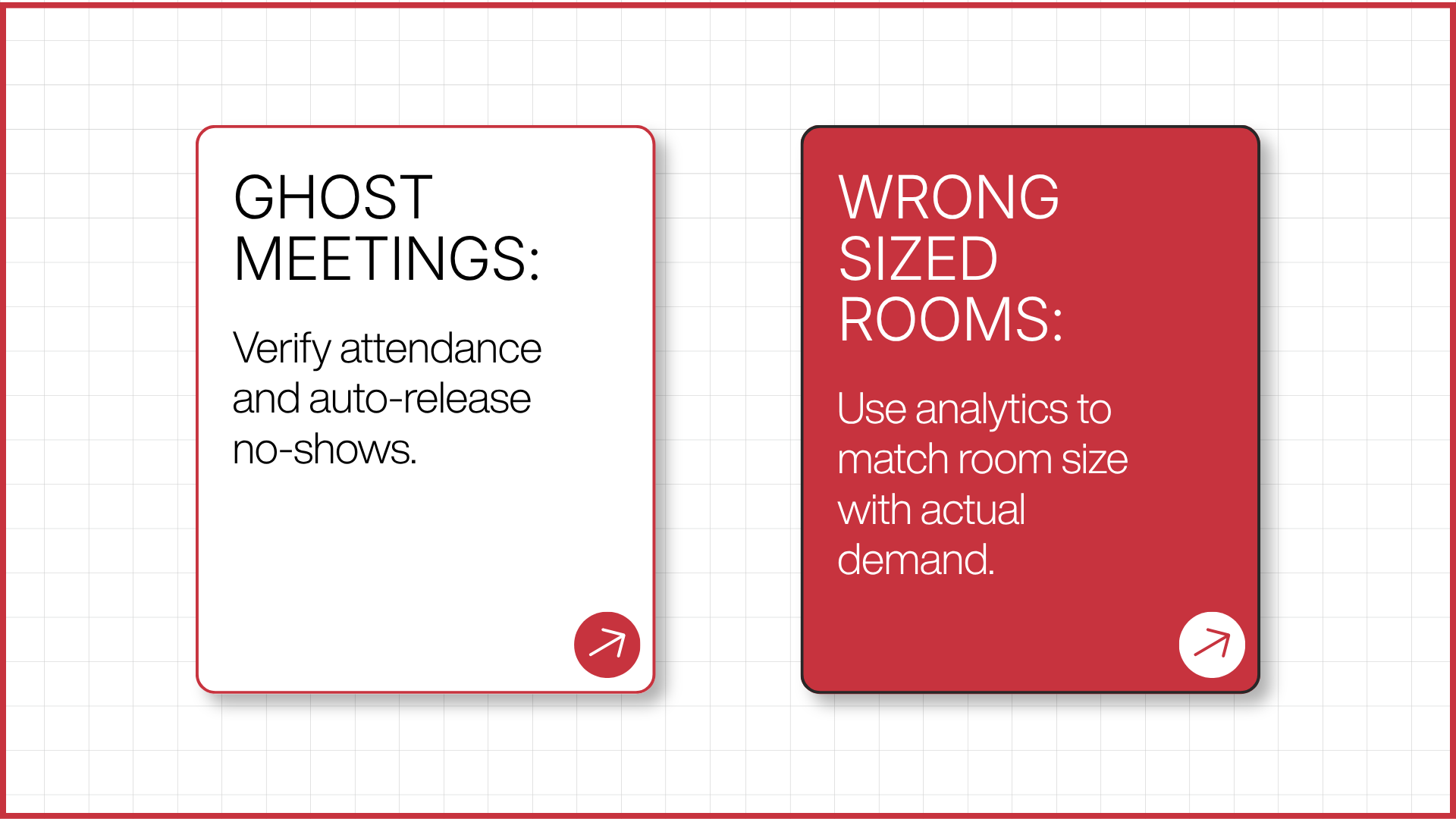
A ghost meeting is a room booked on a calendar that nobody uses. It reads as “occupied” to everyone else, manufacturing scarcity out of nothing.
Workplace analytics consistently put no-show rates for room bookings between 10% and 30%. A VMS closes this by pairing the booking with a verification step: to claim the room, the host scans a QR code at the door. If no one scans within a grace period, the room releases automatically. The data stops measuring intent and starts measuring reality.
Rooms are the wrong size.
Sensor data across 173 buildings and 27,000+ workspaces found that 80% of meetings happen in rooms built for six people or fewer, while large boardrooms in the same study logged utilisation as low as 12%.
Most offices are built on the opposite assumption. Utilisation analytics expose this “defensive booking” grabbing a 15-seat room for a two-person call and give facilities the evidence to convert dead boardrooms into the huddle spaces people actually use.
Three metrics are worth watching: verified utilisation rate (booked hours a room was genuinely occupied, confirmed by scan; a healthy band is 60–75%), room-type mismatch (seats booked versus used), and peak-hour distribution. A room below 50% verified utilisation is a consolidation candidate, and at portfolio scale, consolidation is where the money is.
Privacy, Security And Responsible AI
A VMS is a data-collection system by design. That makes it a compliance obligation, not just an operational tool.
India's DPDP regime is now in force
The Digital Personal Data Protection Rules, 2025 were notified on 13 November 2025, operationalising the DPDP Act, 2023. Compliance is phased: administrative provisions took effect immediately, and most substantive obligations consent, breach reporting, data-principal rights are due by 13 May 2027.
Visitor names, phone numbers and photos are personal data under the Act. Any organisation processing them in India is now on the clock. A paper logbook that leaves prior visitors’ details visible on the open page is, in this light, a live liability.
What a compliant VMS should let you do
- agreements the visitor actively accepts.
- Set retention limits so personal data is purged automatically after a defined period, data minimisation in practice.
- Keep audit-ready logs of every entry, exit, approval and signature, exportable for a regulator or internal review.
Responsible use of AI features
Where a system uses facial recognition, behavioural analysis or automated flagging, the governance questions aren’t optional: Is participation opt-in? Has the algorithm been tested for demographic bias? Who reviews a flag before it affects someone? How long is biometric data kept, and can a person request deletion?
A vendor that can’t answer these clearly is asking you to carry a risk you can’t see.
How To Evaluate An AI-Powered VMS
A practical checklist, ordered by how often each question separates good platforms from marketing:
Question to ask | Why it matters |
What does each “AI” feature do that a rule couldn’t? | Filters genuine ML from relabelled automation |
Does it deploy without dedicated hardware? | BYOD/QR models avoid capex, scale in minutes, remove maintenance |
Can multiple visitors check in at once? | A single kiosk is a queue; personal-phone check-in isn’t |
Which access-control and identity systems does it integrate with? | The VMS is one layer; it must talk to the others |
What are the data retention and consent controls? | Directly determines DPDP / GDPR exposure |
Is there human review on consequential decisions? | The line between assistance and unaccountable autonomy |
Can one dashboard run every site? | Centralised visibility and synced watchlists across locations |
What compliance certifications does it hold? | Independent evidence of security posture |
How Qudify Fits Into The Modern Workplace
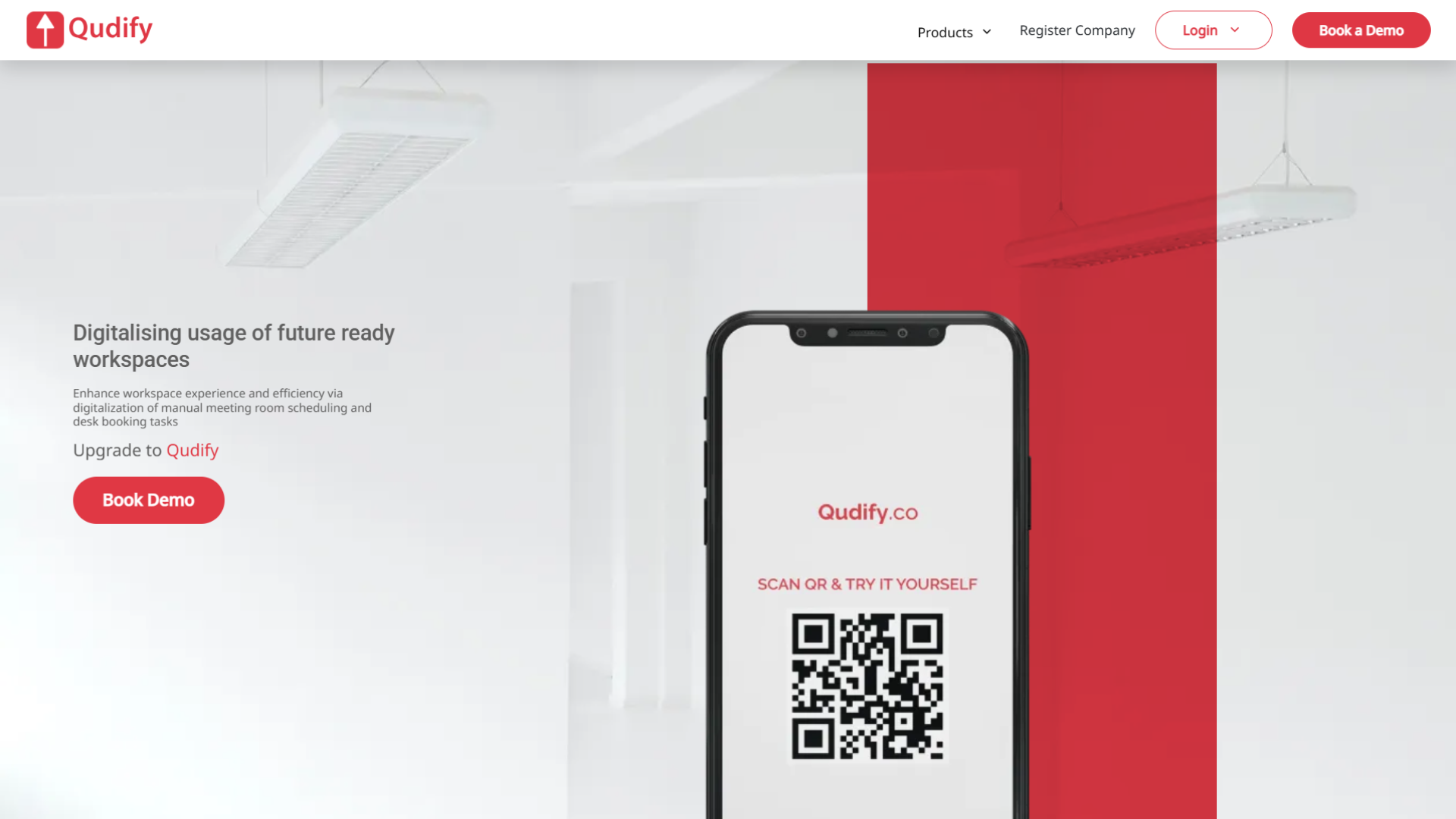
Qudify is a QR-based, cloud-first workspace platform built by Qdesq Realtech, shipping since 2022. It covers three connected areas from one dashboard: visitor management, meeting-room booking, and complaint and feedback management.
Its defining choice is that it needs no dedicated hardware. Visitors check in on their own phones by scanning a QR code- no kiosk, badge printer or app download. Hosts are notified over WhatsApp and SMS and approve with one tap.
Mapped to this guide: the meeting-room module uses scan-on-arrival verification to release ghost-meeting rooms and feed real utilisation analytics. The complaint module routes and prioritises issues by location and type. The admin layer gives multi-site organisations one live view with office-wise controls.
On compliance, Qudify reports ISO 27001:2022 certification and SOC 2 and GDPR alignment, and integrates with Google, Microsoft, Okta and Slack alongside access-control systems.
By its own platform figures, Qudify runs across 500+ live sites for 400+ clients, serving 64,000+ monthly users, and has processed over one million QR scans.
The reason to consider it isn’t that it’s “the best VMS”; that claim means little without your requirements in front of it. It’s that the architecture matches where the category is going: hardware-free, data-rich, multi-site, and honest about keeping a human on the decisions that count.
The Bottom Line
The workplace-access question isn’t whether to add AI. It’s where AI earns its place and where it doesn’t.
The practical path: automate the routine flow routing, no-show release, complaint triage, utilisation analytics because those run on data you already hold and pay back quickly. Keep a person on anything consequential: denials, secure-zone grants, biometric matches. Demand bias testing and clear data-retention terms from any vendor touching identity data.
Get that boundary right, and the technology stops being a lobby gadget and starts being infrastructure. To see how a hardware-free, verification-based VMS handles it, book a Qudify demo.
Frequently Asked Questions
What is an AI-powered visitor management system?
It’s a VMS that adds machine learning on top of digital check-in. Beyond recording who entered, it analyses patterns, forecasting traffic, flagging anomalies, categorising complaints, and modelling space use to surface what a plain log won’t.
What's the difference between a VMS and access control?
Access control governs which doors and zones a person can physically enter. A VMS manages the visitor experience and record. They increasingly integrate: the VMS verifies a guest, then hands a time-limited credential to the access-control system.
Does AI visitor management use facial recognition?
Some platforms offer it; many, including QR-based systems, don’t require it. Facial recognition carries documented accuracy and bias risks, so where it’s used it should be opt-in, tested for bias, and never the sole basis for a consequential access decision.
How does AI detect suspicious visitor activity?
By learning a baseline of normal behaviour and flagging deviations. These are flags for a human to review, not conclusions. AI reduces what a security team must watch, but it doesn’t determine intent.
Does AI replace security personnel?
No. AI handles volume and speed screening, routing, and anomaly flagging. Humans still own judgement and accountability on consequential decisions. The reliable model is AI-assisted, human-supervised.
Is AI-powered visitor management secure and compliant?
It can be, and it’s generally far more compliant than paper. A strong platform captures explicit consent, enforces retention limits, keeps audit-ready logs and holds certifications like ISO 27001. Under India’s DPDP regime, visitor data is personal data, so these are obligations now, not nice-to-haves.
How does verification solve ghost meetings?
A booking proves intent, not use. Requiring the host to scan a QR code to claim the room, and auto-releasing it if no one scans within a grace period, ties the booking to reality, reclaiming the 10–30% of bookings that end in no-shows.
Do visitors need to download an app?
With QR-based systems like Qudify, no. The visitor scans a code, which opens a browser check-in form. No app, no account, no kiosk queue and multiple guests can check in at once on their own devices.