

Key Takeaways
- Visitor management systems fall into five practical categories: paper register, desktop/on-premise software, tablet/kiosk self check-in, QR code & mobile-based, and biometric/access-control-integrated.
- The five types form a spectrum from low cost and low control (paper) to high security and high cost (biometric); most offices do not need the most expensive option.
- “Cloud vs on-premise” is a deployment decision that cuts across types it is separate from the check-in form factor, and both concepts should be kept distinct when evaluating options.
- For most Indian SMEs, QR code & mobile-based systems hit the best balance: no visitor app, no dedicated hardware, WhatsApp-friendly, and a cloud audit trail.
- Under India’s DPDP Act 2023, whichever type you choose, the office is the Data Fiduciary and bears legal responsibility for consent, retention, and access controls, not the software vendor.
- The right type depends on three variables: visitor volume, required security level, and budget, not on any single category being universally “best.”
Why “Which Visitor Management System Is Best?” Is the Wrong First Question
Open five vendor websites for visitor management software, and you will find the same claims on every page: seamless check-in, enterprise-grade security, built for modern offices. The feature matrices are nearly identical, the pricing pages are vague, and nothing tells you whether a given product actually fits a 40-person office in Bangalore or a multi-site manufacturing operation with 800 daily contractor passes.
The problem is the starting question. Before asking “which product is best?”, it helps to ask a narrower one: “which type of system fits an office of my size, security profile, and budget?” Once the category is clear, product shortlisting becomes straightforward; you are comparing like-for-like rather than choosing between a pen-and-paper register and a biometric door-lock system as if they were the same class of thing.
This guide is method-first and vendor-neutral. It explains five categories, the trade-offs of each, and how to match them to office types. One category QR code & mobile-based systems is where Qudify operates, and that will be noted where relevant. It is also worth acknowledging upfront that the five categories are not perfectly watertight: a modern system can combine a kiosk with QR check-in, or sit on top of an access-control platform. Where those overlaps exist, this article will flag them rather than pretend the boundaries are clean.
What Is a Visitor Management System?
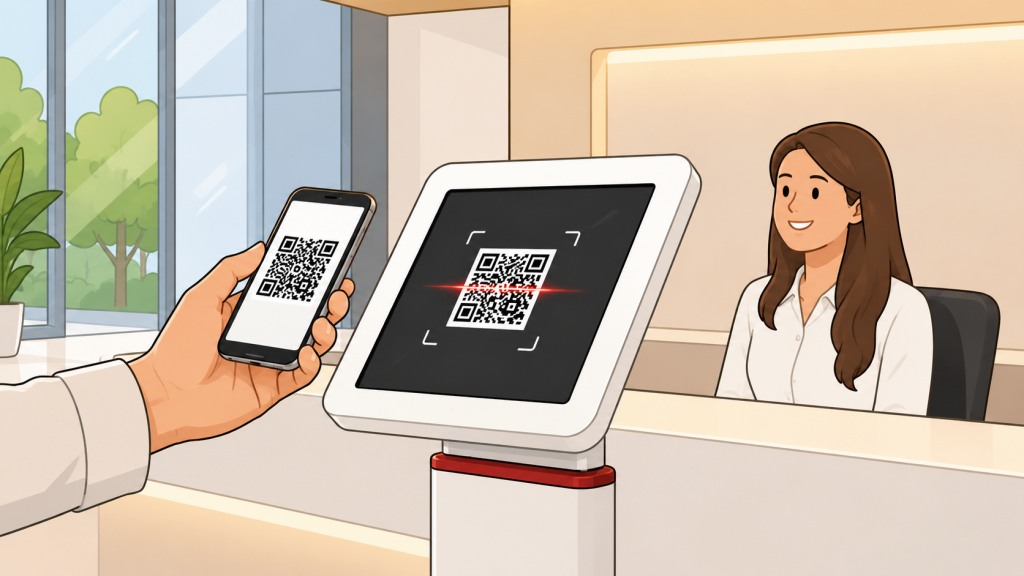
A Visitor Management System (VMS) is software, sometimes paired with hardware, that records and manages everyone who enters a workplace. It replaces the handwritten visitor register with a digital workflow that captures visitor details, notifies the host employee, issues a visitor pass, logs entry and exit timestamps, and stores a searchable, auditable record. Systems differ mainly in how the visitor checks in (paper, desktop terminal, kiosk, smartphone/QR, or biometric reader) and where the data lives (a local server or the cloud).
What Does It Actually Do?
A VMS answers four questions for every visit: who came in, who they were here to see, when they arrived, and when they left, in a form that can be retrieved later. The differences between the five types are about cost, hardware, security, and privacy controls, not about that core purpose.
How to Read the 5 Types: The Five Evaluation Axes
Before walking through each type, it helps to apply a consistent scorecard. Each of the five types below is judged on the same five axes:
- Hardware footprint: Is there any dedicated equipment required, none, a shared device, or fixed readers at every entry point?
- Visitor friction: Does the visitor need an app, special training, or equipment they may not own?
- Security profile: How strongly is the visitor’s identity verified at the point of check-in?
- Data privacy & audit: Is there a searchable, access-controlled, retention-governed log, or just a pile of handwritten entries?
- Cost model & scalability: One-time hardware investment versus a recurring SaaS subscription; and what does it cost to add a second office location?
There is also a sixth, cross-cutting axis worth keeping separate: deployment model, cloud-based versus on-premise. Cloud systems are reachable from any browser and scale across sites without per-site servers. On-premise systems keep data on a local server for maximum control, but cost more to maintain and are harder to scale. This is a deployment decision, not a check-in form factor, so it is noted within types rather than listed as a sixth category.
The 5 Types of Visitor Management Systems
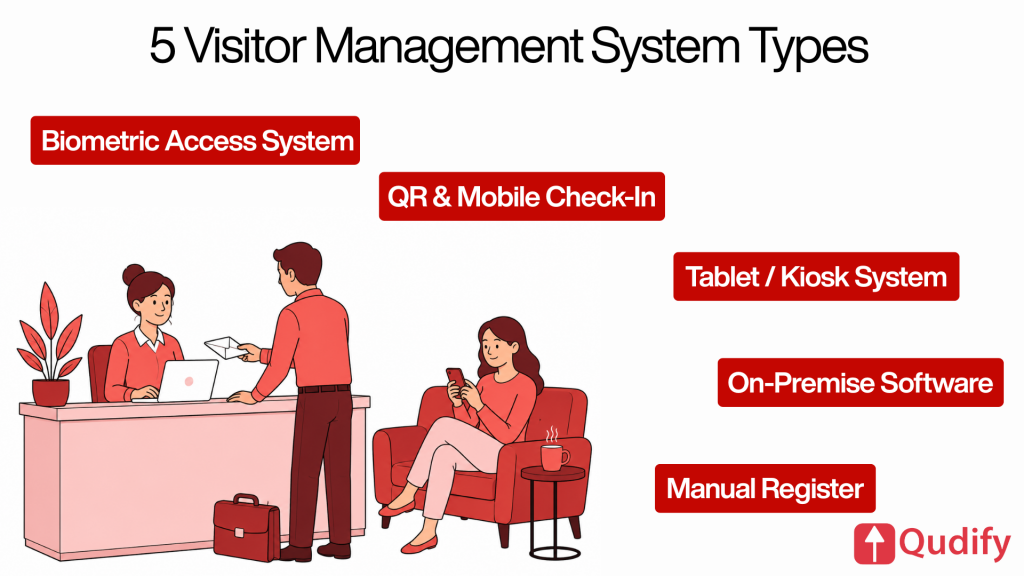
Type 1: Manual / Paper-Based Visitor Register
What it is: A physical logbook at the reception desk where visitors handwrite their name, contact number, the person they are visiting, and the time in. Exit is either manually logged or not logged at all.
Best for: Very low-traffic sites with minimal security or compliance requirements. This is effectively a baseline category that most organisations with any volume or accountability need are in the process of moving away from.
Strengths:
- Zero software cost; requires only stationery
- No internet connection, no power, no training required
- Works in any environment, including during outages
Limitations:
- No host notification, someone has to physically walk to the reception or be called
- No searchable record; finding a past visitor entry means flipping through pages
- Entries are routinely illegible, incomplete, or simply missing
- An open register exposes every previous visitor’s name, phone number, and host to the next person who signs in a meaningful privacy problem in a high-traffic lobby
Privacy note: Practically impossible to make DPDP-aligned. Data minimisation and confidentiality are structurally difficult to enforce when an open page displays everyone who visited before.
Type 2: Desktop / On-Premise Visitor Management Software
What it is: Software installed on a reception computer and typically a local server operated by front-desk staff who type in visitor details on behalf of the guest. The visitor does not interact with the software directly.
Best for: Organisations with strict data-residency requirements that mandate visitor data stays on a local server, such as certain government bodies, defence establishments, regulated financial institutions, or research organisations operating under sector-specific data governance rules.
Strengths:
- Creates a digital, searchable record at the point of entry
- Full organisational control over where data is stored and who can access it
- Continues to function on the local network even if the public internet connection drops
Limitations:
- Entirely receptionist-dependent, if the front desk is busy, a queue forms
- Higher IT maintenance burden; software updates, backups, and security patching are the office’s responsibility
- Scaling to a second location means another installation, another server, and another IT engagement
- Visitor self-service is not possible; the process is only as fast as the operator
Privacy note: Strong on data residency, the organisation controls the server. However, the actual security posture depends entirely on the IT team’s patching discipline and access-control practices. A well-maintained on-premise system can be very secure; a neglected one is not.
Type 3: Tablet / Kiosk-Based Self Check-In Systems
What it is: A tablet or dedicated kiosk positioned at reception, where visitors self-register on a shared screen. The workflow typically captures name, contact details, host name, and purpose of visit; it may also prompt the visitor to sign an NDA, take a photo, or print a visitor badge on the spot.
Best for: Mid-to-large offices with a staffed lobby that want a polished, branded walk-in experience, on-site badge printing, and a step up from receptionist-dependent entry without moving to a fully contactless model.
Strengths:
- Captures data per record with good consistency, so that one visitor cannot see another’s entry
- Professional first impression; supports company branding, photo capture, on-screen NDA sign-off, and badge printing in a single workflow
- Typically, cloud-based for the dashboard, so the audit trail is accessible remotely
Limitations:
- Hardware-dependent: tablet, stand, charging cable, badge printer, and a stable network connection, each of which can fail independently
- A single shared touchpoint becomes a queue during peak arrival windows and a hygiene concern in post-pandemic workplaces
- If the tablet is offline, charging, or rebooting, check-in stops
- Upfront hardware cost can exceed the equivalent of 12–18 months of a cloud-only SaaS subscription before the first visitor has checked in
Privacy note: Per-record privacy is good, provided the kiosk session clears cleanly between visitors. This should be verified during setup rather than assumed.
Type 4: QR Code & Mobile-Based (Asset-Light) Systems
What it is: The visitor uses their own smartphone to scan a QR code, either a static code displayed at reception or a personalised one sent ahead of the visit, and completes a mobile browser form. No app to install, no shared hardware to interact with. This is the category Qudify operates in.
Best for: The majority of Indian SMEs and multi-site businesses that need a fast, contactless, low-maintenance system without the cost and complexity of buying hardware for every entry point.
Strengths:
- No dedicated hardware required; the visitor uses their own phone
- No visitor app, the check-in form opens in any mobile browser after scanning
- Visitor-initiated check-in reduces front-desk load during peak hours
- Scales across multiple entry points and locations on a single subscription, without buying a device for each
- Cloud audit trail is accessible from any browser, from any location
- WhatsApp-native host notifications meaningful in India, where WhatsApp has approximately 535 million monthly active users (2025), giving near-universal reach for pre-visit invites and arrival alerts
Limitations:
- Requires the visitor’s phone to have a working camera and a data or Wi-Fi connection
- A manual fallback is needed for visitors who do not have a smartphone or are not comfortable with one
- Exit check-out can be missed unless the system is configured with auto-expiry, host-triggered checkout, or an exit QR at the door
Privacy note: Straightforward to make DPDP-aligned. A consent notice can be shown on-screen before any field is captured, retention periods are configurable, and dashboard access is role-based.
Type 5: Biometric & Access-Control-Integrated Systems
What it is: Visitor identity is tied to a biometric credential fingerprint, facial recognition, or iris scan and/or integrated directly with physical door access control, so a completed check-in can automatically provision or revoke the visitor’s ability to open specific doors.
Best for: High-security environments where identity verification must be unambiguous and where controlled movement within a building matters: data centres, R&D laboratories, BFSI vaults, critical manufacturing zones, and infrastructure sites.
Strengths:
- Strongest identity verification of any type entry is tied to a verified physical attribute, not a form field that the visitor typed
- Can automatically grant and revoke door access as part of the check-in workflow
- Produces detailed movement logs within the building, not just at the front door
Limitations:
- Highest upfront cost and ongoing maintenance of any type; dedicated readers are required at every controlled point
- Visitor throughput can be slower, particularly during biometric enrolment at the first visit
- The highest privacy sensitivity of any type of biometric data is immutable, meaning over-collection creates a risk that cannot be undone by deleting a phone number
- Under India’s DPDP Act, the office is still the Data Fiduciary regardless of the vendor used; organisations processing biometric data at scale may be designated a Significant Data Fiduciary, which triggers additional obligations, including appointing a Data Protection Officer and conducting periodic audits
Privacy note: Collect biometric data only where the security requirement genuinely justifies it. For most offices receiving routine guests, biometric verification is disproportionate to the actual risk.
Side-by-Side Comparison of the 5 Types
| Axis | Paper Register | Desktop / On-Premise | Tablet / Kiosk | QR & Mobile (Asset-Light) | Biometric / Access-Integrated |
| Hardware required | Logbook + pen | PC + local server | Tablet + stand + (printer) | None (visitor’s phone) | Biometric readers per point |
| Visitor app needed | No | No | No | No | No (enrolment may be required) |
| Check-in speed | Slow | Moderate (staff-entered) | Moderate (shared device) | Fast (self-scan) | Slow–moderate (enrolment) |
| Host notification | No | Yes | Yes | Yes (WhatsApp/SMS/email) | Yes |
| Searchable audit trail | No | Yes (local) | Yes | Yes (cloud) | Yes (detailed) |
| Multi-location rollout | Manual per site | Server per site | Hardware per site | One subscription, many points | Readers per point per site |
| Security / ID verification | Very low | Low–moderate | Moderate | Moderate (photo optional) | Very high |
| Data privacy posture | Poor (open page) | Good (residency control) | Good (per-record) | Good (per-record, consent on-screen) | Strong but with the highest sensitivity |
| Typical cost model | Stationery | Licence + IT upkeep | Hardware + SaaS | SaaS only | Hardware + SaaS + integration |
| Hygiene (shared surfaces) | Pen + book shared | Shared terminal | Tablet shared | Nothing shared | Reader shared |
Reading guide: Move down the security column only as far as your real risk requires. Every step right on the hardware row adds cost and maintenance. For most offices, the practical sweet spot sits in the QR & Mobile column.
Which Type Fits Your Office?

The Three Questions That Matter
1. How many visitors per day, and how bursty is the traffic?
High or unpredictable volume favours a self-service check-in kiosk or QR over staff-entered desktop software. A single receptionist entering details during a 9 AM arrival wave creates a queue regardless of how good the software is.
2. What is your real security requirement?
Routine office guests need reliable identity capture and a searchable log. Restricted zones: manufacturing floors, server rooms, and R&D labs need identity verification, which is where biometric or access-integrated systems earn their cost.
3. What is your hardware and IT appetite?
Limited internal IT, multiple sites, or a preference for predictable SaaS billing all point strongly toward asset-light, cloud-based QR systems. If your IT team already manages on-premise infrastructure and data residency is a regulatory requirement, desktop or private-cloud options make more sense.
Office-Type Recommendation Table
| Office Type | Recommended Type | Priority Feature |
| Solo-location SME (20–100 staff) | QR & Mobile (asset-light) | Set up speed, low cost, no hardware |
| Multi-branch enterprise (100–1,000+) | QR & Mobile on a cloud VMS with a central dashboard | Multi-location admin, role-based access |
| Commercial tower / multi-tenant | Cloud VMS with tenant-management module (QR front end) | Tenant isolation, lobby integration |
| Co-working space | Cloud VMS with member directory + visitor flow | Member self-service, branded experience |
| Manufacturing site (contractor access) | QR & Mobile + NDA/ID capture; biometric for restricted zones | Contractor compliance, time-bound passes |
| Data centre / R&D lab / BFSI vault | Biometric & access-control-integrated | Strong identity verification, door provisioning |
| Government / data-residency-bound site | Desktop / On-Premise (or private-cloud VMS) | Local data control |
Data Privacy and DPDP Considerations Across All Five Types
The Office Is the Data Fiduciary, Regardless of Type
Under India’s Digital Personal Data Protection Act, 2023 (DPDP Act), the office is the Data Fiduciary, the equivalent of a “controller” under GDPR, and the software vendor is the Data Processor. This distinction holds for all five system types without exception.
Being the Data Fiduciary means the office does not qualify, nor does any vendor bear legal responsibility for: obtaining lawful consent, presenting a clear privacy notice, minimising what data is collected, defining a retention period, ensuring secure processing, and reporting breaches to the Data Protection Board of India.
One nuance is worth noting accurately: unlike GDPR, the DPDP Act does not create a separate “sensitive personal data” category. All digital personal data is governed under a single framework. Biometric visitor data is therefore not subject to a distinct legal regime; however, its immutability still makes over-collection a poor risk trade-off. Organisations processing biometric data at significant volume may also be designated a Significant Data Fiduciary, which triggers additional obligations: appointing a Data Protection Officer, conducting periodic data protection impact assessments, and implementing enhanced security measures.
The Compliance Runway: Notified 2025, Enforceable 2027
The DPDP Rules, 2025, were notified in November 2025 (gazette notification dated 13 November 2025). The procedural phase, establishing the Data Protection Board and operationalising definitions, is already in force. The substantive obligations (notice, consent, data-principal rights, retention, breach reporting, and full Data Fiduciary duties) become enforceable on 13 May 2027, following an 18-month phased-compliance window.
A January 2026 MeitY stakeholder consultation reportedly floated compressing that window to 12 months, but this has not been confirmed by gazette notification. It is safer to treat 13 May 2027 as the operative date while treating any acceleration as a reason to begin building compliant workflows now rather than retrofitting them later.
DPDP Compliance Checklist for Any VMS Type
Before going live with any visitor management system, verify the following:
- [ ] Privacy notice displayed before any field is captured, in plain language
- [ ] Explicit, timestamped consent recorded before visitor data is stored
- [ ] Defined retention period (e.g., 90 or 180 days) with automatic deletion on expiry
- [ ] Role-based access to visitor logs, not every admin can see every record
- [ ] Data Processing Agreement (DPA) signed with the VMS vendor
- [ ] Documented process for handling Data Principal rights requests (access, correction, erasure)
- [ ] Tested breach-notification process with a clear escalation path
Common Mistakes When Choosing a VMS Type

1. Buying for security you do not actually need
Deploying biometric or access-integrated hardware for a standard corporate office adds high cost and privacy risk without a matching threat. A 60-person software company receiving client visitors does not need the same identity verification infrastructure as a data centre. Start from the real risk level, then choose the type that meets it.
2. Confusing deployment model with form factor
Treating “cloud-based” as a sixth type of visitor management system separate from kiosk, QR, or desktop leads to redundant comparisons where the same product appears twice in a shortlist under different labels. Cloud vs on-premise describes where data lives. QR vs kiosk vs biometric describes how the visitor checks in. These are separate decisions, and conflating them makes the evaluation harder than it needs to be.
3. Ignoring the visitor’s side of the experience
Choosing a system that requires an app download, assumes every visitor is tech-comfortable, or has no fallback for elderly guests or those without smartphones, creates friction at the one moment where impressions matter most. Any system chosen should have a defined manual fallback procedure, even if it is rarely used.
4. Underestimating the total cost of kiosk hardware
A tablet kiosk is not just the tablet. Add the mount or stand, the badge printer, the printer consumables, the network setup, the protective casing, periodic charging downtime, and the eventual hardware replacement cycle. It is common for the two-year total cost of a three-branch kiosk rollout to exceed what the same organisation would have paid for an asset-light QR subscription over the same period, while also adding maintenance overhead.
5. Skipping retention and access governance
Selecting any system, without defining how long visitor data is kept or who can view it, creates a DPDP exposure regardless of how good the software is. The checklist in the previous section is relevant here. Governance is a policy decision, not a feature the vendor implements for you.
6. Optimising for today’s single location
Choosing a per-site hardware model when the business will open a second or third office within 12–18 months creates a predictable problem: the hardware cost and setup time double or triple, and there is still no central dashboard for multi-site oversight. If growth is planned, architecture for it now.
Hypothetical scenario for illustration: Consider a Gurugram based professional services firm that purchased three reception kiosks across three branches in early 2025. Within a year, peak-hour queuing, charging downtime, and a hardware delay at the third branch had pushed management to re-evaluate. Switching the front end to QR & mobile check-in eliminated the per-site hardware spend, cleared the lobby queues, and allowed a single admin to oversee all three branches from one cloud dashboard while retaining the same audit trail. (This is a hypothetical scenario illustrating a common pattern, not a documented customer case.)
Conclusion: Match the Type to the Office, Not the Hype
Choosing a visitor management system is not about finding the single “best” product. It is about matching one of five categories to your office’s visitor volume, security profile, and budget and then meeting the Data Fiduciary obligations that come with whichever type you deploy. The five types form a clear spectrum, and most offices over-buy when they reach for the hardware-heavy, high-security end without a matching risk to justify it.
For the majority of Indian offices, an asset-light QR & mobile system sits at the practical centre of that spectrum: no visitor app, no dedicated hardware, WhatsApp-native alerts, and a cloud audit trail that is straightforward to align with DPDP requirements. Higher-security environments can layer biometrics or access-control integration on top of that foundation, but only where the risk genuinely warrants the additional cost and privacy sensitivity.
Where to go next:
Qudify Visitor Management: set up in under 20 minutes, no hardware required
FAQ
There are five practical types: paper/manual registers, desktop or on-premise software, tablet/kiosk self check-in, QR code & mobile-based systems, and biometric or access-control-integrated systems. They form a spectrum from low cost and low control (paper) to high security and high cost (biometric). Most offices select a digital type, and for many Indian businesses, the QR/mobile category offers the best balance of speed, cost, and minimal hardware.
For most small offices, a QR code & mobile-based system is the most practical fit. It requires no dedicated hardware and no visitor app; guests scan a code on their own phone, so setup is fast, and the ongoing cost is a predictable SaaS subscription. It also produces a searchable cloud audit trail and supports WhatsApp host alerts, which suits Indian offices where WhatsApp adoption is near-universal.
On-premise systems store visitor data on a local server that the office controls, which suits strict data-residency requirements but costs more to maintain and is harder to scale across sites. Cloud-based systems store data on the provider’s servers and are accessible from any browser, making multi-location rollout and updates far simpler. Cloud vs on-premise is a deployment decision, separate from how the visitor actually checks in.
No. A kiosk is only one of several check-in methods. QR code & mobile-based systems let visitors check in on their own smartphones with no kiosk, tablet, or badge printer required. Kiosks suit staffed lobbies that want on-site badge printing and a branded screen, but they add hardware cost, maintenance overhead, and a shared touchpoint that can queue or become a hygiene concern.
Only when the security requirement genuinely justifies them for example, data centres, research labs, BFSI vaults, or restricted manufacturing zones. Biometric systems offer the strongest identity verification and can control door access, but carry the highest cost, maintenance burden, and privacy sensitivity. Because biometric data is immutable, offices should avoid collecting it where a simpler form of identity capture would be sufficient.
Biometric and access-control-integrated systems offer the highest identity assurance because entry is tied to a verified fingerprint or face and can be linked to physical door control. However, “most secure” is not the same as “best for everyone.” For routine office environments, a QR or kiosk system with photo capture and a properly governed audit trail provides adequate and proportionate security without the cost or privacy overhead of biometrics.
For the common digital types, kiosk and QR/mobile no app download is required. With QR systems, visitors scan a code using their phone’s native camera, which opens a mobile browser form directly. Kiosks use a shared on-site device. App-free check-in matters in India, where invites and host alerts are often delivered over WhatsApp, removing friction at every stage of the visit.
Yes, cloud-based systems are designed for this. Each location can have its own QR code, form configuration, and host directory, while a central administrator monitors every site from a single dashboard. Paper registers and on-premise desktop systems do not scale this way; each site requires its own logbook or server. For multi-tenant office towers, tenant-isolation features matter more than raw multi-location support.
Any digital type can be made DPDP-compliant, but compliance is the office’s responsibility, not the vendor’s. Under the DPDP Act 2023, the office is the Data Fiduciary. The DPDP Rules were notified in November 2025, with substantive obligations enforceable from 13 May 2027. Requirements include a clear privacy notice before data capture, explicit consent, a defined retention period, role-based access to logs, and a signed Data Processing Agreement with the VMS vendor.
A paper register has the lowest upfront cost, but it carries real hidden costs: no audit trail, no host alerts, and an open page that reveals previous visitors’ names and contact details to anyone who picks up the logbook. Among digital types, QR code & mobile-based systems are generally the most cost-effective overall, as they avoid hardware entirely and bill as a flat SaaS subscription, rather than per visit or per device.
Both allow visitors to self-register, but the devices differ. A kiosk uses a shared tablet at reception that the office must purchase, mount, charge, and maintain. A QR system uses the visitor’s own smartphone, so there is no shared device, no hardware spend, and no single point that can queue. QR also scales across multiple entry points and sites without purchasing a device for each one.
The Data Fiduciary decides why and how visitor data is processed, that is, your office. The Data Processor handles the data on the Fiduciary’s behalf under a contract with the VMS vendor. The terms mirror GDPR’s “controller” and “processor.” Whichever of the five system types you choose, your office remains the Fiduciary and holds legal accountability for consent, retention, access governance, and breach reporting.