
Meeting Room Booking Software for Indian Offices: A Complete 2026 Guide
Key Takeaways
- Meeting room booking software centralises how employees find, reserve, and check into shared spaces, replacing spreadsheets, whiteboards, and chat threads with real-time availability.
- Hybrid work has made demand “spiky”: rooms are oversubscribed Tuesday to Thursday and half-empty on Mondays and Fridays, which manual systems can’t plan for.
- The economics are stark. Global benchmarks put office utilisation near half, and meeting rooms sit empty for a large share of their booked hours, while premium space in Indian metros keeps getting costlier.
- The features that matter most: real-time availability, two-way calendar sync, check-in with auto-release, capacity and amenity filters, role-based access, multi-location support, and usage analytics.
- India now has a real compliance dimension. The Digital Personal Data Protection (DPDP) Act, 2023, with Rules notified in November 2025, makes secure handling of workplace data a board-level concern.
- A QR-first, hardware-free model keeps deployment fast and cheap, and pairing room booking with visitor management removes a common source of front-desk friction. This is the approach Qudify is built around.
It’s 10:45 on a Tuesday, and you know the frustration of someone walking in on you in the middle of a meeting. You’ve booked a meeting room, only to find a different team occupying yours with closed doors and covered whiteboards with their own meeting in progress. Your admin has opened a shared spreadsheet and is waiting for someone to update their part. A colleague is scrolling through WhatsApp, trying to find out who booked the room. 10 minutes have passed, and nothing has been agreed upon.
Among India’s corporate hubs, from Bengaluru to Delhi NCR, the workforce has expanded faster than the employment and office infrastructures available to accommodate them. Conference rooms in an office with a capacity for 50 people are a highly coveted resource once the company reaches 500 employees. The manual tracking of meeting room bookings no longer works.
The solution is meeting room booking software. The problem here is that the software market is based on Western offices, and with their work cultures, leaving Indian offices, with their heavy and evolving work cultures, highly understaffed. Examples of work cultures that don’t exist in the West are Indian multi-floor campuses, large teams, and tight real estate budgets, all topped with new data-protection laws that have come into effect in late 2025.
This guide is for facilities leads, IT admins, Office Managers, and founders. It will talk to you about the importance of meeting room booking software by 2026, the necessary features, evaluating offers, and how to avoid painful change-management issues.
What Is Meeting Room Booking Software?
Meeting room booking software is a centralised platform that lets employees see real-time room availability, reserve a space in seconds, and confirm their arrival typically through a web dashboard, a mobile app, or a QR code mounted at the door. It replaces the friction of whiteboards, easily broken shared spreadsheets, and ad-hoc WhatsApp coordination with a single source of truth that everyone can see and trust.
Modern software has expanded functionality much beyond a blogging tool or shared calendar. The most sophisticated office space management tools allow for:
- Real-Time office-wide availability on all devices. (Nobody has to guess.)
- Check-In/Auto Release technology cancels ‘ghost’ bookings by reintegrating a space if no one showed.
- In-depth two-way calendar sync for Google Workspace and Microsoft 365; automatic integration cancels room reservations if the user cancels a meeting in Outlook.
- No-show workplace analytics.
- Visitor management technology integrates room reservations with the front-desk guest management system.
For fast-growing Indian corporations, workforce hybrids, and multiple campus locations, office space management software is essential, especially with the need to protect real estate as well as your employees’ time.
How Does Meeting Room Booking Software Work?
At a practical level, the workflow is straightforward:
- Map your spaces. Every bookable area boardrooms, huddle rooms, phone booths, hot desks is added to the system with its capacity, location, and amenities (video conferencing, projector, whiteboard).
- Book a room. An employee checks live availability and reserves a space from a dashboard, mobile app, or directly inside their calendar.
- Check in on arrival. The booker confirms they’re using the room, often by scanning a QR code at the door.
- Auto-release and measure. If no one checks in within a short grace period, the room is released back to the pool. Every booking and check-in is logged, feeding analytics that tell facilities teams what’s actually being used.
That last loop book, confirm, release, measure is what separates real workplace management from a glorified calendar.
Why Indian Offices Need Meeting Room Booking Software in 2026
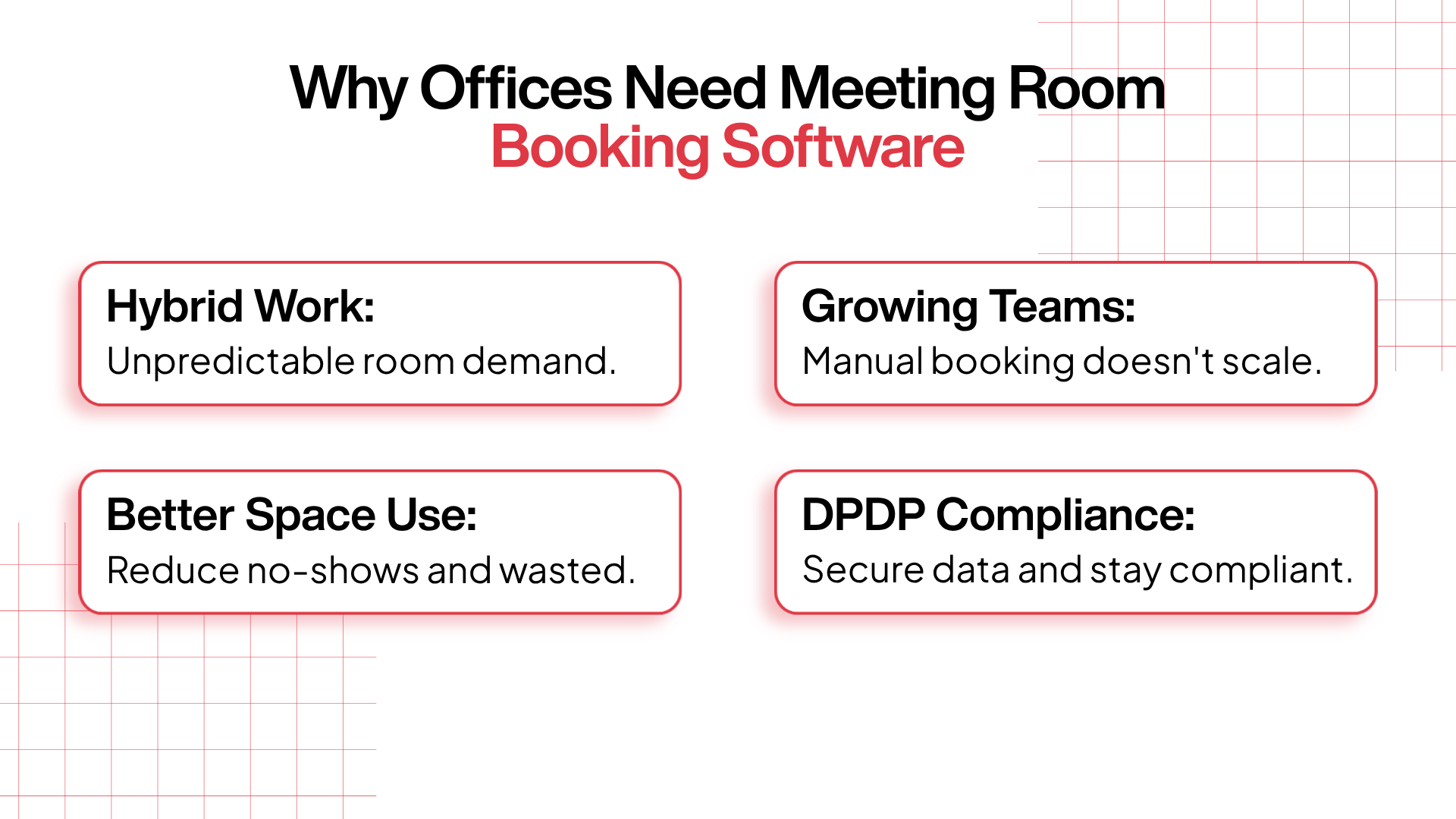
The case isn’t theoretical. Four forces have converged to make manual room management genuinely costly for scaling Indian companies.
1. Hybrid work made room demand unpredictable
Corporate India has settled into hybrid systems. Industry research published by JLL’s Global Occupancy Planning Benchmark states that about two-thirds of employees have a partially remote work schedule, and CBRE’s 2026 research states that, for most companies, Tuesday is the only day with a full workforce. The outcome is “spiky” demand. Meeting rooms are overbooked mid-week and are mostly empty on Mondays and Fridays.
That kind of demand can’t be captured in a spreadsheet. Combining booking software with desk booking provides analytics for facilities teams to adjust their space for the busiest days and allows employees to book their office time to accommodate the available space.
2. Startups outgrow their booking habits
There are no signs of the growth in unicorns and fast-growing startups in India slowing down. The growth is so rapid that many of the start-ups in India are moving from co-working spaces with just around 20 employees to having their own offices that can accommodate 200 employees. A booking habit that works for 20 people collapses at 200.
With such rapid growth, it is easier to put a booking habit system in place when you are still small, as adoption occurs seamlessly. Retrofitting one after the chaos has set in is far more disruptive; you’re now changing behaviour for hundreds of people at once.
3. Office space is expensive and badly used
The premium office space located in the IT corridors of India, including Bengaluru’s Outer Ring Road, Mumbai’s Bandra Kurla Complex, HITEC City in Hyderabad, and Cyber City in Gurugram, all come at a steep price. But, from a global perspective, the high cost of renting this office space is justified by the low occupancy. Studies conducted by JLL and CBRE highlight that, on average, global office space is only 54% utilised. Further, the occupancy of office space is on the decline, with a 40% no-show rate in booked meeting rooms. In addition to the space occupancy issue, there is a mismatch between the design and occupancy of meeting rooms. Also, according to CBRE, meeting rooms that are designed to hold 6- 9 individuals actually only accommodate 2.5 individuals.
Most companies have meeting rooms that are designed to hold 6- 9 individuals, that are rarely utilised, and have 40% no-show occupancy. Booking software provides the solution by releasing no-shows, allocating meeting rooms that are the proper size, and detailing which meeting rooms are underutilised, allowing for the redesign of meeting rooms into focus pods. For many companies, the lost capacity is actually greater than the cost of implementing the software.
4. Data protection now carries real weight
This is the area most older guides overlook. India’s Digital Personal Data Protection (DPDP) Act, 2023 is India’s first extensive privacy legislation, and the Ministry of Electronics and IT published the operational Rules in November 2025. Requirements will start to be implemented in phases over the next 18 months. The requirements that will be implemented most immediately are notice and consent requirements, breach reporting, and the management of data rights of individuals, among others. Serious violations of the Act may incur fines of up to ₹250 crore.
Workplace systems fall under this Act and are directly impacted. Every employee check-in and visitor systems handle personal data. Group chats and spreadsheets are systems that do not maintain data integrity and lack mechanisms to securely delete records when requested. Some cloud-based solutions possess the capability of encryption in transit, access based on user roles, and logs generated based on time. A serious data processing vendor will sign a Data Processing Agreement, and breach notification will be relevant because your systems vendor will be a data processor as defined in the Act.
The Hidden Cost of Manual Room Management
Before the features, it helps to name the failure modes manual methods produce. These are the five that show up in almost every growing office:
- Double bookings. When reservations live across email, personal calendars, and chat, two teams inevitably claim the same room.
- Ghost meetings. A ghost meeting is a room that’s booked but never used, often because the host decided to work from home that day. The slot stays locked while the room sits empty.
- Admin overload. Funnelling every request through one facilities manager doesn’t scale past a certain headcount; it just creates a bottleneck and a frustrated admin.
- Poor visibility. Without live indicators, people wander floors looking for a free room or interrupt meetings to ask.
- No usage data. Manual tracking leaves you guessing whether to add rooms, cut them, or redesign exactly the decisions that cost the most to get wrong.
Must-Have Features in Meeting Room Booking Software
Not every platform is built for high-density IT parks, distributed campuses, and shifting hybrid schedules. Use the table below as a quick evaluation checklist, then read the notes after it on the features people most often misjudge.
Feature | What it does | Why it matters |
Real-time availability dashboard | Visual floor plans and instant room status | Ends manual searching and meeting interruptions |
Mobile app | Book, modify, or cancel from a phone | Fits hybrid workers who decide on the move |
Two-way calendar sync | Live sync with Google Workspace / Microsoft 365 | Prevents duplicate bookings and stale slots |
Check-in + auto-release | Confirms arrival; frees unused rooms | Returns no-show rooms to the pool automatically |
Capacity & amenity filters | Search by size and equipment (VC, screen, board) | Stops two people from taking a 20-seat boardroom |
QR-code check-in | Scan-to-confirm via smartphone | Reclaims rooms with no costly door hardware |
Role-based access (RBAC) | Restricts specific rooms or approvals | Protects executive, HR, and legal spaces |
Visitor management | Links external guests to room bookings | Creates a secure, smooth front-desk experience |
Utilisation analytics | Tracks peak hours, no-shows, and demand | Drives evidence-based real estate decisions |
Multi-location support | Central control across sites and floors | Simplifies management for multi-city operations |
A few of these deserve closer scrutiny, because they’re where platforms quietly differ:
QR check-in versus door hardware. Many systems assume a touchscreen tablet outside every room. Those panels are expensive to buy, wire, and maintain, and the cost multiplies across a multi-floor campus. A QR-first approach achieves the same outcome (a precise record of who used the room, and when) using a printed or digital code and the phone already in everyone’s pocket. For most Indian offices, that’s a meaningfully lower total cost of ownership.
The depth of calendar sync. “Integrates with Outlook” can mean anything from a one-way feed to a true two-way sync. Insist on the latter: if a meeting is cancelled in the calendar, the room must free itself in the booking system, and vice versa. Anything less guarantees stale availability and low adoption.
RBAC and approval workflows. Not all rooms are democratic. Executive boardrooms, interview rooms, and confidential HR spaces need governance restrictions by department or seniority, and approval steps for premium rooms. Check that the platform handles this without custom development.
Multi-location intelligence. A campus or multi-city deployment needs location awareness, so an employee in Bengaluru sees their local floor by default while a central admin oversees the national portfolio from one panel. Geofencing and location tagging are what make this usable rather than chaotic.
Measure these before you integrate, or you will have no way to prove the project worked.
How to Choose the Right Meeting Room Booking Software
Once you’ve shortlisted platforms, evaluate them against the criteria that actually predict success in an Indian office. Here’s the framework we’d use.
- Deployment model and total cost. Does it require proprietary hardware, or can it run on QR codes and existing devices? Add up the three-year cost, including panels, installation, and maintenance, not just the licence fee.
- Integration depth. True two-way sync with Google Workspace or Microsoft 365, plus notifications in Slack or Teams and single sign-on (SSO) for your IT policies.
- India-specific data handling. Look for alignment with the DPDP Act: encryption, RBAC, audit logs, a signed data processing agreement, support for breach notification, and clarity on where data is hosted. Many enterprises now prefer providers offering India-based hosting and transparent processor terms.
- Scalability. Can it span multiple floors and cities under one admin panel, with local configuration that doesn’t break other sites?
- Adoption and UX. If staff need a manual, adoption will stall. The booking and check-in flow should be obvious on the first try.
- Analytics that drive decisions. Reports on utilisation, no-shows, peak hours, and room-size demand the inputs for real estate planning.
- Unified scope. If you also manage visitors, a single platform for rooms and guests removes a whole category of front-desk friction and avoids paying for two tools.
- Commercials and support. Transparent INR pricing, GST-compliant invoicing, and responsive local support matter more than glossy feature lists.
How to Implement Meeting Room Booking Software
Buying the technology is the easy half. The real work is change management and adoption. Here’s a practical, six-step rollout that suits most Indian corporate environments.
Step 1: Audit your current space
Map your physical assets first; this inventory becomes the backbone of your new system.
Room / Zone | Capacity | Key amenities | Floor / Building | Current method |
Boardroom A | 12–15 | VC setup, projector, whiteboard | Floor 3, Tower B | Outlook calendar |
Huddle Space 1 | 2–4 | Smart TV | Floor 3, Tower B | Ad-hoc / WhatsApp |
Training Room | 30+ | Dual screens, PA system | Ground floor | Facilities manager |
Step 2: Define your booking policies
Set the rules before you configure anything. Communicating them up front prevents friction and builds trust on day one:
- Advance booking limit: how far ahead a room can be reserved (for example, 14 days).
- No-show timeout: how long before an unconfirmed room is released (for example, 10–15 minutes).
- Approval workflows: which premium rooms need sign-off.
- Departmental restrictions: which rooms are reserved for specific teams, such as HR or legal.
Step 3: Set up integrations
To foster adoption, the software needs to be accessible in environments where employees are used to working. Natively connecting to Google Workspace or Microsoft 365, then adjusting SSO to your IT policies, will help. Notifications and reminders can be implemented through Slack or Microsoft Teams.
Step 4: Deploy QR codes at room entrances
Combine the digital and the physical by adding QR codes to your booking system. These can be placed on the doors, walls, or small stands. Check-In QR codes can be labelled by room name and capacity to let employees know where to go. This can allow employees to either check in for a booking or receive an empty room on the spot.
Step 5: Train and communicate
Keep it light. Run a 15–20 minute orientation showing how to book, how to scan in, and how the no-show release works. Follow up with a short quick-start email. If the product is well designed, that’s all it takes.
Step 6: Monitor the first 30 days
Treat month one as a baseline. The data will tell you what to adjust:
Signal | What it means | Adjustment |
High no-show rate | People are booking “just in case” | Shorten the auto-release window |
Peak-hour congestion | Too few rooms on Tue–Thu | Cap durations on peak days; push desk-booking |
Chronic overbooking of a size | High demand for, say, 4-person rooms | Split an underused large room into two huddle spaces |
Common Mistakes to Avoid
Even good software underperforms when these traps go unaddressed:
- Over-buying hardware. Don’t pay for touchscreen panels on every door if QR check-in does the job for a fraction of the cost.
- Skipping policies. A system with no no-show timeout or approval rules just digitises the chaos.
- No check-in enforcement. Without a confirmation step, ghost meetings persist, and your data is fiction.
- Treating it as an IT project, not a people one. Adoption is a change-management exercise; under-communicating is the most common reason rollouts stall.
- Ignoring the analytics. The reports are the point. Companies that never look at them miss the savings that justified the purchase.
- Over-building large rooms. Most meetings are small. Keep adding boardrooms and your utilisation numbers will keep disappointing you.
How Qudify Approaches Meeting Room Booking
Measured against the criteria above, Qudify is built around the model that tends to fit Indian offices best: QR-first, hardware-free, and unified with visitor management.
QR-first, so there’s no hardware bill. Every room gets a unique QR code; every visitor gets a QR-based digital pass. Check-ins are contactless, instant, and mobile-driven, which keeps deployment fast and costs low no proprietary panels to buy, wire, or maintain. Qudify also supports WhatsApp-based flows, which lifts adoption in Indian workplaces where WhatsApp is already universal.
Rooms and visitors in one workflow. Most tools silo desk booking and guest management into separate apps. Qudify combines them: when you book a room for a client meeting, you can pre-register the visitor in the same step. The guest receives a QR pass, scans it at reception, and the host is notified automatically that they’ve arrived and the room is ready.
Built to scale across sites. Whether you’re a 50-person team in a Gurugram co-working space or a multi-thousand-person enterprise across several cities, the cloud architecture scales without re-platforming. A local IT admin in Bengaluru can adjust their configuration without touching the Mumbai or Hyderabad setup.
Analytics you can actually read. Live dashboards show room occupancy, daily visitor flow, and peak booking patterns through a clean interface no analyst required.
Controls that support compliance. Every room entry and visitor check-in is time-stamped and logged, with role-based access for admins. That gives facilities and IT teams the audit trails and access controls that frameworks like the DPDP Act expect, and it makes generating records for an internal review straightforward. (As with any vendor, confirm the specifics of data hosting and processor terms against your own compliance requirements.)
There’s also a sustainability angle that resonates with ESG-minded organisations: replacing paper registers and tablets with QR codes cuts both waste and the manual cost of staffing an entrance.
Qudify vs. Traditional Booking Systems
Capability | Traditional systems | Qudify |
Hardware required | Tablets and proprietary wall panels | None; printed or digital QR codes |
Scope | Separate apps for guests and rooms | Unified visitor and room booking |
Check-in | Manual sign-in books or shared screens | Contactless mobile QR scan |
Deployment | Slow; needs wiring and installation | Fast; scalable across cities at once |
The Future of Workplace Management in India
Indian offices will be more frictionless and efficient in the coming years, and three trends are already emerging. The first is the development of passive occupancy sensors in conjunction with the automatic release of unoccupied spaces. The second is AI that helps optimise the room allocation process by predicting meeting demand and determining the appropriate room based on meeting size and type. Lastly, some super-apps integrate room and desk booking with visitor management systems and more.
All of these innovations rely on occupancy data, and you can’t optimise what you haven’t measured. Companies that implement modern room booking systems now will be better positioned with the data needed to support an AI-driven workplace. The benefits to optimising your physical workplace are threefold: improved employee experience, streamlined operations, and optimising the cost of space leased.
Conclusion: Stop Running Indian Offices on Spreadsheets
Meeting room chaos, double bookings, ghost meetings- the daily hunt for a free room isn’t inevitable. It’s an operational problem with a well-understood solution. Manual spreadsheets and chat threads can’t give you self-serve booking, recovered space, or the analytics to plan, and in 2026 they can’t give you the data controls a maturing privacy regime expects either.
A modern platform fixes the day-to-day and the strategic at once: employees book in seconds, no-shows free themselves, and facilities teams finally see how the office is really used. When room booking, visitor management, and QR-based check-in live in one place, the win isn’t just tidier rooms; it’s a better front-office experience for staff and guests alike.
Qudify is built precisely for this, with the dynamics of the Indian workplace in mind: QR-first and hardware-free, unified across rooms and visitors, and able to scale from an agile startup to a multi-city enterprise. If you’re ready to take the chaos out of your conference rooms, book a demo with Qudify.
Frequently Asked Questions
What is meeting room booking software?
It’s a centralised platform that lets employees see real-time availability, reserve meeting rooms and shared spaces, and check in to confirm use. It replaces spreadsheets, whiteboards, and chat groups with a single, reliable view that prevents double bookings and frees up unused rooms.
Why do Indian offices specifically need it?
Because hybrid schedules create unpredictable, spiky demand, startups scale faster than manual processes can handle, premium office space is expensive and often half-used, and the DPDP Act now raises the bar for handling workplace data securely. Software addresses all four at once.
What are "ghost meetings" and how does the software stop them?
A ghost meeting is a room that’s booked but never used, usually because the host worked remotely that day. Auto-release solves it: if no one checks in within a set grace period (say, 10 minutes), the system cancels the reservation and returns the room to the pool.
How does QR-code check-in work?
You print or display a unique QR code outside each room. Employees scan it with their phone to check in to a reservation or to book an empty room on the spot. It produces an accurate record of real usage without installing a tablet on every door.
Do I need expensive hardware to run it?
No. QR-first platforms like Qudify run on printed or digital codes and the smartphones staff already carry, which avoids the cost of proprietary panels, wiring, and maintenance. Hardware-heavy systems exist, but most offices don’t need them.
Does it integrate with Microsoft 365, Google Workspace, Teams, and Slack?
Leading platforms offer two-way calendar sync with Microsoft 365 and Google Workspace, so a booking or cancellation updates both systems automatically. Many also push confirmations and reminders through Slack or Microsoft Teams and support single sign-on.
Is meeting room software compliant with India's data protection law?
The software itself isn’t “certified compliant”; compliance is shared between you and your vendor. What matters is that a platform provides the controls the DPDP Act expects: encryption, role-based access, audit logs, support for breach notification, and a signed data processing agreement. Confirm data hosting and processor terms before you buy.
What's the difference between meeting room booking and desk booking?
Meeting room booking manages shared rooms (boardrooms, huddle spaces); desk booking, or hot-desking, manages individual workstations for hybrid teams. They solve related problems, and the strongest platforms handle both so you can plan total space demand for any given day.
How do I measure ROI?
Track recovered room hours from auto-release, the share of right-sized bookings, reduced admin time, and, over a lease cycle, whether utilisation data let you avoid leasing extra space. For many companies, the recovered capacity alone exceeds the software cost.
How long does implementation take?
For a single site on a hardware-free platform, the backend can be set up in a day. A full rollout, integrations, QR placement, policies, and brief training typically take about three to five working days.
How do I drive adoption?
Keep the flow obvious, set clear policies before launch, run a short orientation, and make booking and check-in effortless. Then use the early analytics to remove friction. Adoption is a people problem more than a technology one.
What makes Qudify different from traditional systems?
Qudify is hardware-free and unified: it uses QR codes (and WhatsApp) for instant, contactless check-in, and it combines meeting room booking with visitor management in a single workflow, so you can reserve a room and pre-register a guest in the same step. That keeps deployment fast, costs low, and the front desk smooth.