
How to Reduce Paper Use in Your Office: A Practical Guide for 2026
Key Takeaways
- The average office worker still gets through roughly 10,000 sheets of paper a year, and a long-cited Xerox study found that close to half of printed documents are binned within 24 hours, with around 44.5% never collected from the printer at all.
- Paper’s real cost isn’t the ream. Once you add storage, filing, printing and retrieval, the true cost of a paper-based workflow runs many times the price of the paper itself.
- The fastest wins need no new software: default every printer to double-sided printing, and hold print jobs until the user authenticates at the machine.
- The front desk is the most overlooked paper sink in most offices. A QR-based visitor system replaces the logbook, the printed badge and the manual register in a single move.
- In India, paper visitor logs are now a compliance liability under the Digital Personal Data Protection (DPDP) Act, 2023 and the DPDP Rules, 2025.
- Going paperless is as much about habit as hardware; sensible defaults, clear ownership and visible targets are what make it stick.
Walk past any office printer at the end of the day, and you’ll usually find the evidence: a tray of pages nobody came back for. It looks like a small thing. It adds up to a surprisingly large one.
The average office worker still consumes around 10,000 sheets of copy paper a year, according to figures originally published by the Minnesota Office of Environmental Assistance and cited widely since. A frequently referenced Xerox study found that close to half of printed documents are binned within 24 hours, with around 44.5% are never even picked up from the printer. For a business that is scaling, that isn’t an environmental footnote; it’s budget, floor space, and time quietly leaking out of the building every single day.
The encouraging part is that reducing office paper no longer requires re-engineering how people work. It means retiring a handful of stubborn paper habits the visitor logbook, the printed meeting schedule, the wet-ink signature, the suggestion box and replacing them with digital equivalents that are faster, cheaper, and, in most cases, already sitting in your team’s pockets. This guide walks through exactly how to do that, and how to make it last.
Why should offices reduce paper use? 4 business reasons backed by research

It’s tempting to treat paper reduction as a “nice to have.” In practice, it touches four parts of the business at once.
The hidden cost of office paper: why businesses pay up to 31× the purchase price
The purchase price of paper is the least of it. The expensive part is everything that surrounds a sheet once it exists: the cabinet it’s stored in, the time spent filing it, the ink and printer maintenance behind it, and the minutes lost hunting for it when someone needs it again. Columbia University’s Mailman School of Public Health notes that the cost of using paper in an office can run 13 to 31 times the purchase price of the paper itself. Reducing the number of sheets in circulation removes that entire tail of hidden cost.
How paper slows down office operations
A digital document is searchable, instantly shareable across locations, and impossible to misplace in a drawer. A paper one is none of those things. The gap shows up most clearly the moment you need to find something quickly during an audit, a safety review, or a customer escalation.
Paper visitor logs and India's DPDP Act 2023: what every office must know
This is the part most Indian offices underestimate. A paper visitor register sitting open on a reception desk exposes the names, phone numbers, companies, and signatures of everyone who walked in that day. Under India’s Digital Personal Data Protection Act, 2023, now being operationalised through the DPDP Rules, 2025, notified by the Ministry of Electronics and Information Technology, personal data carries real obligations around how it is collected, stored, and protected. A logbook anyone can read fails the basic test the law is built around.
What is the environmental impact of office paper use?
Producing virgin paper is resource-heavy. It takes roughly 24 trees to make a single tonne of virgin office paper (Conservatree), and the drying stage alone accounts for around 70% of the energy used in paper manufacturing. Globally, paper and paperboard production reached approximately 401 million tonnes in 2024 and continues to rise (Statista). The pulp and paper sector ranks fourth among all industries for energy consumption and accounts for roughly 2% of direct industrial CO₂ emissions, according to the International Energy Agency. And while paper is among the most recycled materials, it remains the single largest material category in municipal solid waste by volume generated, per the US Environmental Protection Agency. Cutting use at the source is far more effective than recycling after the fact.
Paperless vs paper-light office: what's the difference and which should you choose?
A paperless office eliminates paper. A paper-light office removes paper from the workflows where it adds cost and risk, while keeping it in the few places it’s genuinely required certain legal originals, for instance. For almost every Indian enterprise and MSME, paper-light is the realistic, sensible goal, reached one workflow at a time rather than in a single dramatic switch.
That distinction matters because it changes how you approach the project. You’re not banning paper. You’re identifying where paper is used out of habit and swapping in something better.
7 proven ways to cut office paper use in 2026: a step-by-step action plan
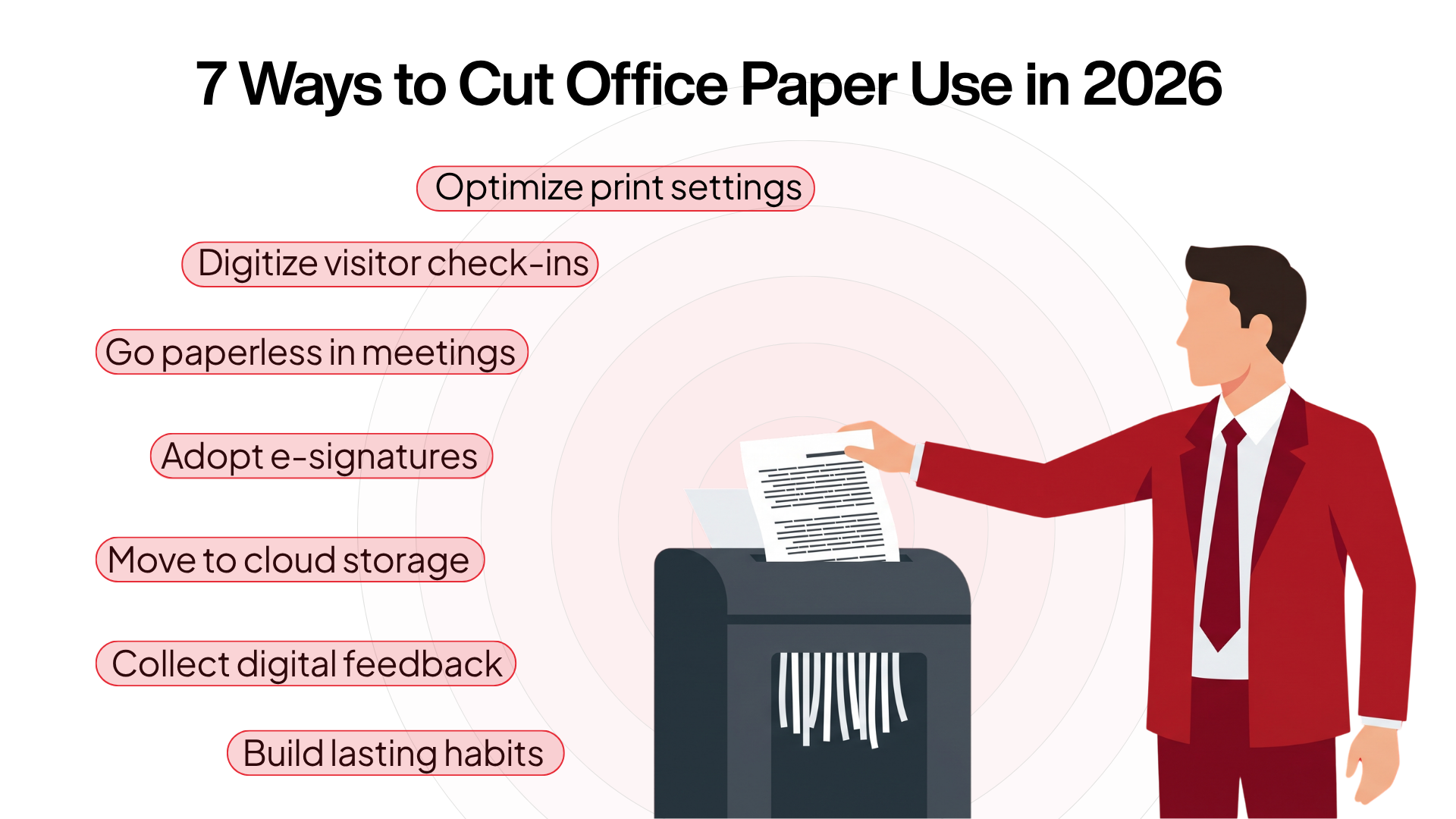
1. Fix your print defaults first
Before you change anyone’s behaviour, change the hardware. Set every office printer to double-sided (duplex) and grayscale by default. Duplex alone can cut paper use for printed documents by up to half, simply because the same content now uses fewer sheets and because defaults work even when no one is thinking about them.
Then add secure release printing (also called pull printing). A document only prints when the employee walks up to the machine and authenticates with a PIN or badge. Given that roughly 30% of print jobs are never collected, this single change eliminates most of that abandoned-tray waste at a stroke, and has the side benefit of keeping sensitive documents from sitting unattended.
2. Digitise your front desk and visitor logs
The reception desk is historically one of the worst paper culprits in any office and the riskiest, because of the personal data involved. Paper logbooks are slow, prone to illegible entries, and a privacy exposure waiting to happen.
This is where a QR-based visitor management system earns its place. With a platform like Qudify, a visitor scans a QR code at the front desk using their own smartphone, fills in a secure digital form, and receives a digital pass, often delivered over WhatsApp. The security team scans that pass to verify it on entry. No register, no printed badge, no kiosk to buy and maintain. Qudify’s design philosophy is deliberately “QR-first”: the only hardware required is the smartphone the visitor already owns.
The data goes straight into encrypted cloud storage rather than onto a page anyone can read, which addresses the DPDP compliance problem directly. Qudify reports that automated self-check-in cuts manual front-desk workload by 50% or more, freeing reception staff for higher-value work.
3. Take meetings off paper
Two paper habits cluster around meetings: the schedule taped to the conference-room door, and the stack of printed handouts.
Replace the first with a digital meeting room booking system that shows live availability across the organisation. Printed schedules go stale the moment they’re posted and quietly cause double-bookings; a shared digital view removes both problems. Qudify’s meeting room booking interface, its original product, was built for exactly this, on the same asset-light, cloud-based model as its visitor system.
Replace the second by sharing agendas and collaborative documents via cloud links rather than printing copies. Everyone works from the same live version, edits land in one place, and nothing ends up in the recycling bin an hour after the meeting ends.
4. Switch to e-signatures and e-invoicing
The “print, sign, scan, shred” cycle is pure waste. Electronic signatures are legally recognised in India under the Information Technology Act, 2000, and adopting an e-signature platform for contracts, approvals, and onboarding removes paper from some of your most routine, highest-volume workflows.
Do the same on the finance side. Ask vendors to send digital invoices, and move your own billing to e-invoicing. Beyond the paper saved, this tends to speed up payment cycles and simplify tax compliance a rare case where the sustainable option is also the faster one.
5. Replace physical filing with cloud document management
Paper records exist mostly because organisations need to store information for operational tracking and compliance. Cloud document management removes that dependency. Tools like Google Workspace, Microsoft 365 or a sector-specific cloud system let authorised staff retrieve historical records instantly from any device no filing cabinets, no off-site archive boxes. The retrieval-time saving alone usually justifies the move.
6. Replace suggestion and complaint boxes with digital feedback
The physical suggestion box is a quietly outdated piece of office furniture: forms get lost, ignored or misread, and there’s no way to track what happened to any of them. A digital complaint box Qudify offers routes structured feedback straight to the right facilities manager’s dashboard. Issues are logged, searchable and traceable from submission to resolution, with no paper involved and a clear record of accountability.
7. Build the habit layer
Technology provides the infrastructure. People decide whether it actually sticks. The organisations that make paper-light work don’t just roll out new tools they treat behaviour change with the same deliberateness they apply to the tools themselves.
- Appoint sustainability champions. A small number of people with a clear mandate to guide teams through the transition makes a measurable difference. Change moves faster when someone owns it.
- Set targets that mean something. “Print less” is not a goal. A reduction in print volume per head, tracked monthly, is. Vague aspirations don’t create accountability; numbers do.
- Make progress visible. Share print-volume data openly each month so teams can actually see where they stand. Most people respond to feedback they just need to receive it.
- Connect the visible wins to the bigger picture. A QR check-in at the front door is a small thing. But when it’s framed as part of a genuine company commitment rather than a random IT rollout, it reads differently. People support change they understand the reason for.
The habit layer is rarely where organisations focus first. It’s almost always where implementation succeeds or quietly falls apart.
Paper vs digital office workflows: side-by-side comparison table (2026)
Office function | Traditional paper process | Digital alternative |
Visitor management | Paper logbooks, manual sign-in, printed badges | QR-based check-in via the visitor’s own smartphone |
Meeting room booking | Printed schedules, handwritten reservation lists | Live cloud booking with real-time availability |
Visitor pre-registration | On-arrival paperwork, manual entry | Online pre-registration links and digital VIP/long-term passes |
Feedback & complaints | Physical suggestion boxes, paper incident forms | Digital complaint box with structured tracking |
Documents & approvals | Single-sided printing, filing cabinets, wet-ink signatures | Cloud storage, shared agendas, e-signatures |
Invoicing | Printed invoices and receipts | E-invoices sent by email or WhatsApp |
5 common paperless office mistakes to avoid and how to fix each one
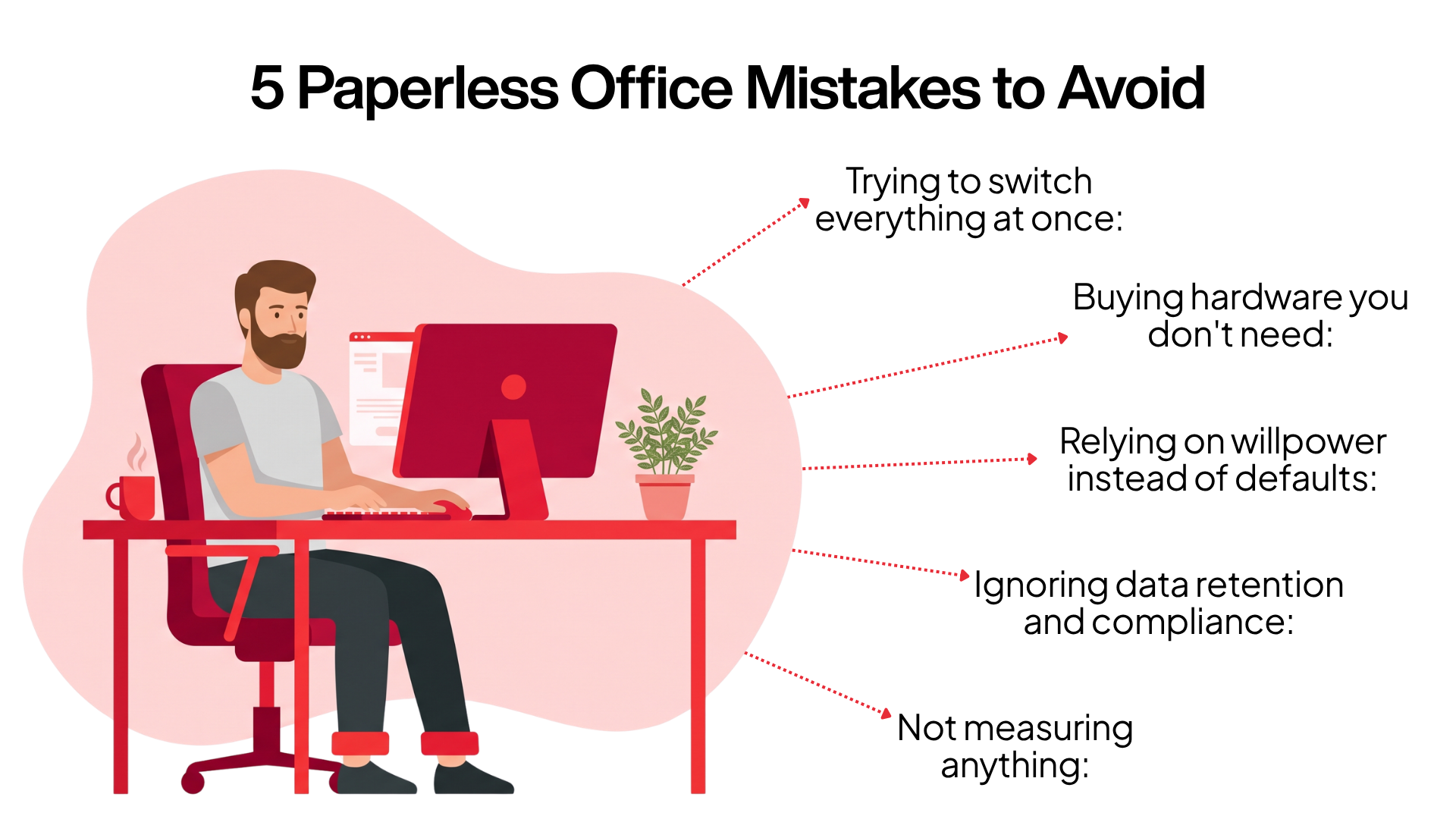
A few patterns trip up otherwise well-run projects.
These aren’t edge cases; they show up repeatedly, even in organisations that have done everything else right.
- Trying to switch everything at once: A big-bang rollout creates resistance and tends to stall. Go workflow by workflow, starting with the front desk and print defaults, where the wins are fastest and most visible.
- Buying hardware you don’t need: Many “digital” visitor systems still rely on tablets, kiosks, and printed passes, which reintroduces cost and, in the case of printed passes, paper. An asset-light, QR-and-smartphone approach avoids that overhead entirely.
- Relying on willpower instead of defaults: Asking people to “remember to print double-sided” rarely works. Changing the default so duplex happens automatically does. Set the system up so the sustainable choice is the path of least resistance.
- Ignoring data retention and compliance: Going digital isn’t only about saving sheets; it’s about handling the data on those sheets responsibly. Make sure your digital tools store personal data securely and align with the DPDP framework; that’s a benefit of the move, but only if you choose tools that take it seriously.
- Not measuring anything: Without a baseline, you can’t tell whether the change worked, and you can’t show the team their progress. Decide upfront what you’ll track.
How to measure office paper reduction: 3 KPIs that prove real progress
Keep it simple. A handful of metrics tells you everything you need:
- Print volume per head, month over month, the headline indicator of paper-light progress.
- Share of visitors checked in digitally: how fully the front-desk transition has landed.
- E-signature adoption: the percentage of contracts and approvals completed without printing.
Review these monthly, share them openly, and celebrate the milestones. Visible progress is what sustains the effort once the initial novelty fades.
How Qudify helps Indian enterprises and MSMEs go paper-light: features and DPDP benefits
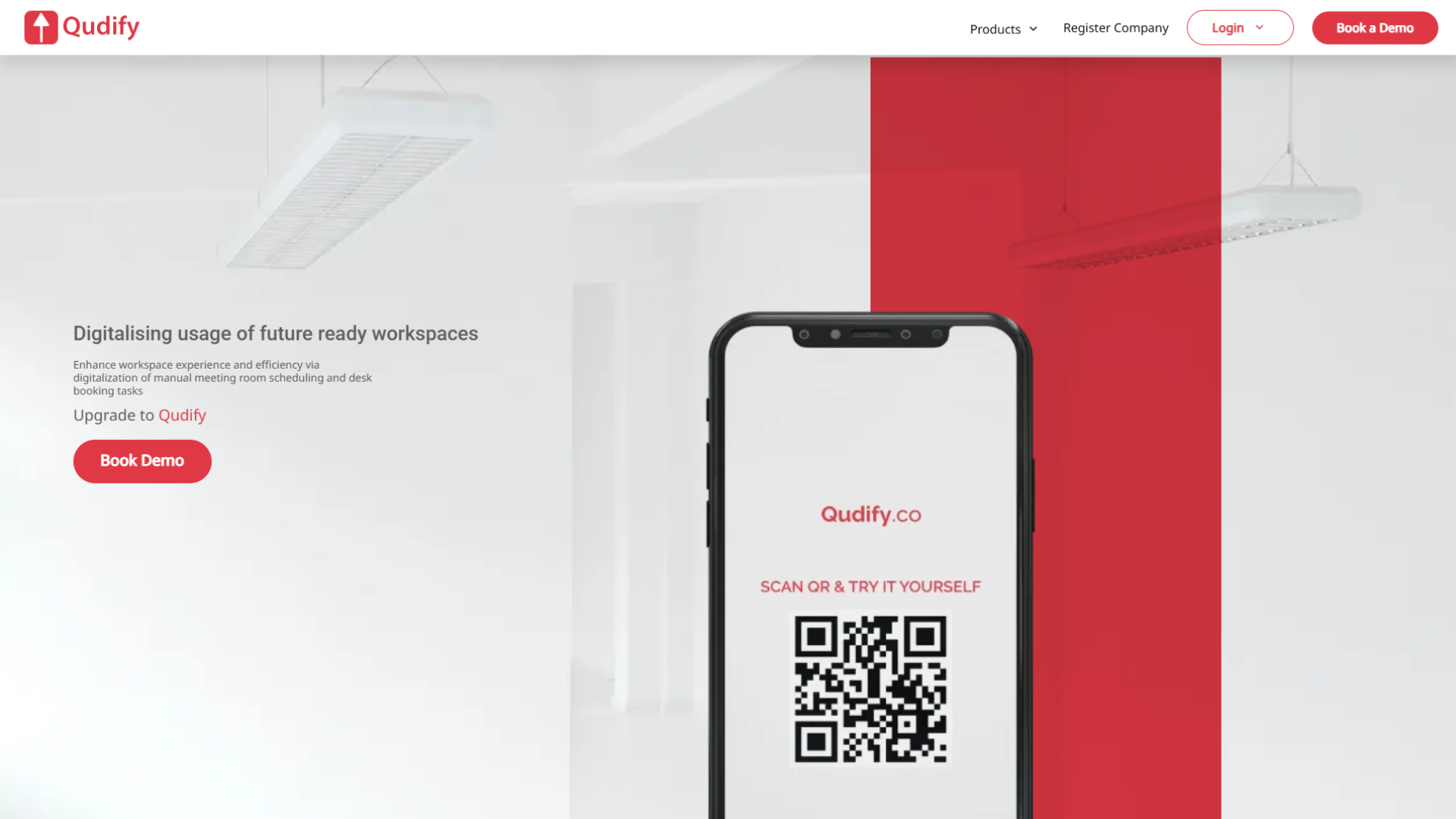
Qudify is built for enterprises and MSMEs, with a single focus: replacing manual paperwork with hardware-free QR codes to improve operational efficiency and support decarbonisation.
Core workflows covered:
- Visitor management: QR-based check-in using the visitor’s own smartphone
- Meeting room booking: live, real-time availability across an organisation
- Commercial tower access: visitor management for multi-tenant buildings
- Digital complaint box: structured feedback routed directly to facilities teams
Where it's currently deployed:
- Corporate offices
- Schools
- Manufacturing sites
- Multi-tenant commercial buildings across India
Why the design constraint matters more than the feature list:
- No tablets, kiosks, or printed passes required
- Deployment and staff training stay fast, since there’s no new hardware to learn
- Avoids a common failure mode: several “digital” visitor systems still rely on tablets or printed badges, which quietly reintroduces the cost and paper they were meant to eliminate
Compliance and security architecture:
- Built to ISO/IEC 27001:2022 standards
- Built to SOC 2 Type 2 standards
- Uses encrypted cloud storage
- Addresses the DPDP exposure created by default when visitor data sits on an open paper logbook
The front door is usually a company’s first and most visible paper habit. Replacing it with a visitor scanning a QR code, receiving a digital pass, and your team gets a real-time, tamper-proof cloud record is a small change that delivers a workspace that’s more secure, more efficient, and measurably less wasteful.
Conclusion
Going paper-light doesn’t require a disruptive overhaul. It starts by spotting where paper is used out of pure habit the reception desk, the visitor logbook, the meeting-room schedule, the suggestion box and replacing those workflows with digital tools that are faster, cheaper, and already familiar to your team. Begin with the changes that need no new software, move to the front desk where the cost and compliance wins are largest, and build the habit layer so the change sticks.
Ready to make your most visible paper habit disappear?
Book a free 15-minute demo with Qudify to see how an asset-light, QR-based platform can take paper out of your front desk and meeting rooms.
Frequently Asked Questions
What are the easiest first steps to cut office paper use?
Start with your hardware defaults. Set all printers to double-sided and grayscale, switch on secure release printing so jobs only print when someone authenticates at the machine, and share meeting agendas as cloud links instead of handouts. These require no new software and can roughly halve printed-document volume on their own.
What's the difference between a paperless and a paper-light office?
A paperless office eliminates paper; a paper-light office removes it from the workflows where it adds cost and risk while keeping it where it’s genuinely needed. For most businesses, paper-light is the realistic and sensible target.
Does double-sided printing really cut paper use by half?
For documents that would otherwise be printed single-sided, yes, the same content uses roughly half as many sheets. The bigger gain comes from making duplex the default, so the saving happens automatically rather than depending on people remembering.
How does a QR-based visitor log protect privacy better than a paper register?
A paper logbook sits open on the desk, where anyone can read the names and contact details of previous visitors. With a QR system, each visitor enters their details privately on their own phone, and the data goes straight into encrypted cloud storage out of public view and far better aligned with India’s DPDP framework.
Is a paper visitor register a compliance risk in India?
It can be. The Digital Personal Data Protection Act, 2023, and the DPDP Rules, 2025, govern how personal data is collected and protected. An exposed logbook full of visitors’ names and phone numbers is difficult to square with those obligations, whereas an encrypted digital system is designed around them.
Do I need to buy tablets or kiosks to digitise visitor check-in?
No. Asset-light platforms like Qudify run on the visitor’s own smartphone; they scan a displayed QR code and check in. There’s no kiosk to purchase or maintain and no printed badge, which keeps both cost and paper out of the process.
Can a digital visitor system handle vendors and regular contractors?
Yes. Through pre-registration, administrators can issue secure long-term digital passes with custom validity periods to contractors, maintenance crews and vendors, removing the need for daily manual sign-ins for your most frequent footfall.
How do I get employees to actually adopt paperless habits?
Make the digital option the default, appoint a few sustainability champions, set a measurable target such as reducing print volume per head, and share the numbers openly each month. Habits follow defaults and visible progress far more reliably than they follow reminders.
We already recycle; isn't that enough?
Recycling helps, but it doesn’t undo the energy, water and trees consumed to make and transport the paper in the first place, and much printed paper is discarded within a day of printing. Reducing use at the source cuts both cost and environmental impact more effectively than recycling alone.
Is cloud-based storage more secure than a locked filing cabinet?
For most organisations, a reputable cloud platform offers stronger protection than paper: encryption, access controls and tamper-proof, time-stamped logs that a physical register can’t match, plus instant retrieval during an audit instead of digging through archives.